已分析URL
https://speedpaint.org/
测量于2周前
AI-Ready评分
良好
/ 100
Token节省量
评分详情
新兴协议
已检测到 1/6AI代理查找的well-known端点。检测到意味着代理可以自动发现并连接到您的服务。
-
OAuth Protected Resource RFC 9728
/.well-known/oauth-protected-resource -
OAuth Discovery RFC 8414
/.well-known/oauth-authorization-server -
MCP Server Card SEP-1649 draft
/.well-known/mcp/server-card.json -
A2A Agent Card A2A v1.0
/.well-known/agent-card.json -
API Catalog RFC 9727
/.well-known/api-catalog- 1 API(s)
- media type: application/octet-stream (expected application/linkset+json)
-
Agent Skills index Discovery RFC v0.2.0 draft
/.well-known/agent-skills/index.json
分数不会自己保持不变。 监控功能尚未上线——加入名单,上线时通知你。
您已加入名单!服务上线时我们会通知您。
我们测到的 Missing <article> and <main> elements
您的页面未使用<article>或<main>元素。这些语义容器帮助AI代理识别主要内容区域,忽略导航、侧边栏和页脚。
如何实施
在页面主要内容周围添加<main>元素,并对博客文章或产品描述等独立内容块使用<article>。
我们测到的 Content ratio: 2.7% (2924 content chars / 108369 HTML bytes)
您的页面实际内容与总HTML的比率较低。页面重量的大部分是标记、脚本或样式而非内容。
如何实施
将CSS移至外部样式表,删除内联样式,最小化JavaScript,确保HTML专注于内容结构。
我们测到的 9 semantic elements, 256 divs (ratio: 3%)
您的页面大量依赖<div>元素。<section>、<nav>、<header>、<footer>和<aside>等语义元素为AI代理提供有意义的结构。
如何实施
将通用<div>容器替换为适当的语义元素。对主题分组使用<section>,导航使用<nav>,页面/区块的头部和底部使用<header>/<footer>。
我们测到的 16/713 elements with inline styles (2.2%)
许多元素具有内联样式属性。这些会为提取内容的AI代理增加噪声。
如何实施
将所有内联样式移至样式表中的CSS类。如需大量独特样式,使用Tailwind等实用CSS框架。
## Create speedpaint drawing videos from photos and artwork.

Turn a photo, illustration, or diagram into a stroke-by-stroke drawing video. Start with 200 free credits - no card required.

200 free credits on signup · 1080p and 4K exports · No card required

## How Speedpaint works

Upload an image, choose how you want it to look, and watch it draw.

Step 1

### Upload your image

Start from a photo, an illustration, or a finished drawing. Portraits, characters, scenes, and objects all work.

Step 2

### Turn it into a sketch

Speedpaint converts your image into a detailed drawing based on your chosen sketch style.

Step 3

### Watch it draw

Speedpaint draws your image from start to finish into a video you can download.

## Try Speedpaint for free without sign up

Create a full drawing animation video with no account or credit card required. Choose a sample or drop your photo to see it draw stroke by stroke.

Drop an image here, or browse

PNG, JPG, or WEBP up to 20MB

### Or try with a sample

Choose a sample to load it into the studio.

Loading samples…

## See what your images can become

A selection of images, reinterpreted as drawing videos.

[Browse all examples](https://speedpaint.org/examples)

## Frequently asked questions

Everything you need to know about Speedpaint, credits, and drawing videos.

Upload a photo or illustration and choose a drawing style. Speedpaint plans a stroke-by-stroke reveal from the drawing. Opaque canvases use MP4; transparent videos use WebM. Video output is fixed at 60 FPS. This is a generated reveal, not a recording of the original artist drawing.

The studio includes five core styles: Detailed Shading, Clean Line Art, Anime, Charcoal Atelier, and Drafting Blueprint.

$1.00 equals 100 credits. A standard video costs 20 credits for up to 60 seconds, with 10 extra credits for each additional started minute; 4K doubles the total. You receive 200 free trial credits upon signing up ($2.00 value). Credits never expire, so you can add balance when you need it.

You can export videos in 1080p Full HD or 4K Ultra HD. We support vertical 9:16 (for Shorts, Reels, and TikTok), widescreen 16:9, square 1:1, 4:3, and 3:4, with video lengths from 5 seconds up to 3 minutes.

Yes. Choose a paper background, upload a background image, or use a transparent canvas. Add a built-in soundtrack or your own audio, and an optional text watermark.

You can connect a YouTube channel, review the title, description and visibility, and confirm the upload of a completed vertical video. You can also download the MP4 instead. Reach and Shorts placement are not guaranteed.

Commercial use is subject to the Terms of Service and your rights to the uploaded material. Generating a drawing does not clear third-party copyright, trademark or likeness rights. Check the source image and soundtrack permissions before publishing.

We accept major credit and debit cards, UPI, NetBanking, and international cards securely processed via Razorpay. Available methods can vary by country and checkout.
Speedpaint Generator | Drawing Videos from Photos [Skip to main content](https://speedpaint.org/#main-content) # Create speedpaint drawing videos from photos and artwork. Turn a photo, illustration, or diagram into a stroke-by-stroke drawing video. Start with 200 free credits - no card required. [Try free](https://speedpaint.org/#try)[See examples ↓](https://speedpaint.org/#categories) 200 free credits on signup · 1080p and 4K exports · No card required 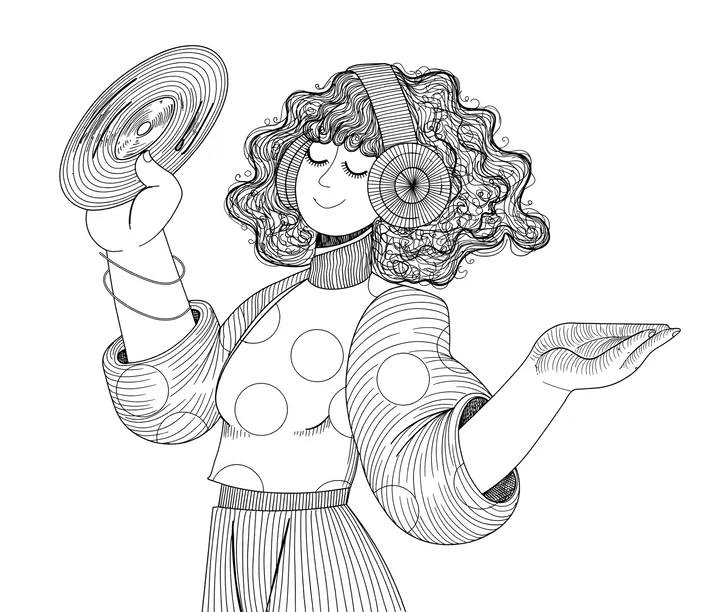 Click to watch full screen 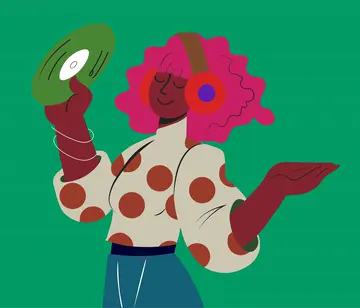 # Create speedpaint drawing videos from photos and artwork. Turn a photo, illustration, or diagram into a stroke-by-stroke drawing video. Start with 200 free credits - no card required. [Try free](https://speedpaint.org/#try)[See examples ↓](https://speedpaint.org/#categories)  Click to watch full screen  200 free credits on signup · 1080p and 4K exports · No card required ## How Speedpaint works Upload an image, choose how you want it to look, and watch it draw. Step 1 ### Upload your image Start from a photo, an illustration, or a finished drawing. Portraits, characters, scenes, and objects all work.  Step 2 ### Turn it into a sketch Speedpaint converts your image into a detailed drawing based on your chosen sketch style.  Step 3 ### Watch it draw Speedpaint draws your image from start to finish into a video you can download.   Step 1### Upload your image Start from a photo, an illustration, or a finished drawing. Portraits, characters, scenes, and objects all work.  Step 2### Turn it into a sketch Speedpaint converts your image into a detailed drawing based on your chosen sketch style. Step 3### Watch it draw Speedpaint draws your image from start to finish into a video you can download. ## Try Speedpaint for free without sign up Create a full drawing animation video with no account or credit card required. Choose a sample or drop your photo to see it draw stroke by stroke. Drop an image here, or browse PNG, JPG, or WEBP up to 20MB Choose image ### Or try with a sample Choose a sample to load it into the studio. Loading samples… ## See what your images can become A selection of images, reinterpreted as drawing videos. [Browse all examples](https://speedpaint.org/examples) ## Buy credits [Refund policy](https://speedpaint.org/refund) · [Commercial-use terms](https://speedpaint.org/terms) One-time balance top-upNever expires Amount +20% bonus (+200 free) 1.2kcredits $10.00· ~60 videos $1 = 120 credits (with bonus) 20 cr/video ($0.20) Never expires Commercial use Full HD & 4K 1k cr 500 cr1k cr5k cr [Get 1,200 credits · $10.00](https://speedpaint.org/auth/signup?redirect=%2Fdashboard%2Fcredits%3Famount%3D1000%26action%3Dbuy&credits=1000) ### Choose credit amount Slide to select or tap a preset below. $1 = 100 credits · 20 credits for up to 60 seconds. Balance never expires. 1k cr 100 cr500 cr1k cr2.5k cr5k cr10k cr 20 credits up to 60s ($0.20) Never expires Full HD & 4K Amount +20% bonus (+200 free) 1.2kcredits Edit $10.00· ~60 videos $1 = 120 credits (with bonus) [Get 1,200 credits · $10.00](https://speedpaint.org/auth/signup?redirect=%2Fdashboard%2Fcredits%3Famount%3D1000%26action%3Dbuy&credits=1000) One-time payment · 20 credits for up to 60 seconds · Credits never expire ## Frequently asked questions Everything you need to know about Speedpaint, credits, and drawing videos. [View all questions & answers →](https://speedpaint.org/faq)[Contact us →](https://speedpaint.org/contact) ### How does Speedpaint work? Upload a photo or illustration and choose a drawing style. Speedpaint plans a stroke-by-stroke reveal from the drawing. Opaque canvases use MP4; transparent videos use WebM. Video output is fixed at 60 FPS. This is a generated reveal, not a recording of the original artist drawing. ### What drawing styles can I choose from? The studio includes five core styles: Detailed Shading, Clean Line Art, Anime, Charcoal Atelier, and Drafting Blueprint. ### How do credits and pricing work? $1.00 equals 100 credits. A standard video costs 20 credits for up to 60 seconds, with 10 extra credits for each additional started minute; 4K doubles the total. You receive 200 free trial credits upon signing up ($2.00 value). Credits never expire, so you can add balance when you need it. ### What video durations, aspect ratios, and resolutions are supported? You can export videos in 1080p Full HD or 4K Ultra HD. We support vertical 9:16 (for Shorts, Reels, and TikTok), widescreen 16:9, square 1:1, 4:3, and 3:4, with video lengths from 5 seconds up to 3 minutes. ### Can I add background textures, soundtracks, and watermarks? Yes. Choose a paper background, upload a background image, or use a transparent canvas. Add a built-in soundtrack or your own audio, and an optional text watermark. ### Can I publish directly to YouTube Shorts? You can connect a YouTube channel, review the title, description and visibility, and confirm the upload of a completed vertical video. You can also download the MP4 instead. Reach and Shorts placement are not guaranteed. ### Can I use my videos commercially? Commercial use is subject to the Terms of Service and your rights to the uploaded material. Generating a drawing does not clear third-party copyright, trademark or likeness rights. Check the source image and soundtrack permissions before publishing. ### Which payment methods are accepted? We accept major credit and debit cards, UPI, NetBanking, and international cards securely processed via Razorpay. Available methods can vary by country and checkout. ## Turn a photo into a drawing Upload an image, pick a style, and watch it draw itself on canvas. [Try Speedpaint for free](https://speedpaint.org/try) 200 free trial credits · 10 standard videos up to 60s · No credit card required  ### Tips, new sketch styles, and studio updates Join creators receiving new drawing techniques, style releases, and studio updates. Subscribe Our promise: we won't sell your data or spam you. 
将此文件上传到服务器的/index.md,以便AI代理可以访问页面的干净版本。您也可以配置Accept: text/markdown内容协商以自动提供。
我们的建议
# Speedpaint

> Create stroke-by-stroke drawing videos from photos and artwork. Get 200 free credits on signup, export 1080p or 4K MP4, and start with no card required.

## Documentation
- [View all questions & answers →](https://speedpaint.org/faq)

## Main
- [Speedpaint Generator | Drawing Videos from Photos](https://speedpaint.org/): Create stroke-by-stroke drawing videos from photos and artwork. Get 200 free credits on signup, export 1080p or 4K MP4,…
- [Pricing](https://speedpaint.org/pricing)
- [What is Speedpaint?](https://speedpaint.org/about-speedpaint)
- [Get Started](https://speedpaint.org/auth/signup)
- [Photo to Sketch](https://speedpaint.org/photo-to-sketch)
- [Photo to Line Art](https://speedpaint.org/photo-to-line-art)
- [Drawing Animation](https://speedpaint.org/drawing-animation)
- [Photo to Drawing Video](https://speedpaint.org/photo-to-drawing-video)
- [Speedpaint Generator](https://speedpaint.org/speedpaint-generator)
- [Image to Drawing Converter](https://speedpaint.org/image-to-drawing-converter)
- [Photo to Line Drawing](https://speedpaint.org/photo-to-line-drawing)

## Blog
- [Journal](https://speedpaint.org/blog)

## Legal
- [Privacy Policy](https://speedpaint.org/privacy)
- [Terms of Service](https://speedpaint.org/terms)
- [Refund Policy](https://speedpaint.org/refund)

## Support
- [FAQ](https://speedpaint.org/faq)
- [Contact Us](https://speedpaint.org/contact)
- [Support Center](https://speedpaint.org/support)
完整llms.txt需要全域分析(即将推出)
将此文件上传到域名根目录的https://speedpaint.org/llms.txt。ChatGPT、Claude和Perplexity等AI代理会检查此文件以了解您的网站结构。
该网站已有llms.txt文件。
格式有效# Speedpaint > Speedpaint is a browser-based tool that creates a drawing reveal from an uploaded image. The animation is generated from image structure; it is not footage of the original artist drawing. ## Product facts - Upload JPG, PNG or WebP photographs, illustrations or existing sketches. - Five sketch treatments: Detailed Shading, Clean Line Art, Anime, Charcoal Atelier and Drafting Blueprint. - Video durations: 5–180 seconds in the production Studio. Video frame rate is fixed at 60 FPS. - Canvas choices: original image shape, 9:16, 16:9, 1:1, 4:3 and 3:4. - Video resolutions: 1080p and 4K. Opaque canvases use H.264 MP4; transparent canvases use VP9 WebM with alpha. - Optional drawing hand, canvas background, soundtrack, uploaded audio and watermark settings. - Sketch-only output is available in the current Studio; it produces a still drawing rather than a video. - YouTube publishing requires connecting a channel and reviewing the publishing details. - Eligible new accounts receive a one-time 200-credit signup grant. No card is required. ## Pricing At the standard rate, $1 USD equals 100 credits. A 1080p video costs 20 credits up to 60 seconds, plus 10 credits per additional started minute. A 4K video doubles that calculated cost. Sketch-only generation costs 5 credits. Purchased credits do not expire. The Studio displays the estimated cost before generation. See the pricing and refund pages for purchase conditions. ## Boundaries Speedpaint is not a multi-scene timeline editor, a character-rigging tool, an editable SVG exporter or a CAD converter. Generated sketch treatments can change likeness, small text and geometry. Review exact diagram labels and logo lettering before using the result. Choosing 9:16 does not add platform-specific safe margins. Processing time depends on the source, settings and queue. There is no guaranteed render time, viewing-retention improvement, learning outcome or social reach. Commercial use depends on the Terms of Service and rights to the uploaded material; generation does not clear third-party copyright or trademarks. ## Public pages - [Home](https://speedpaint.org/): product overview. - [About Speedpaint](https://speedpaint.org/about-speedpaint): product definition and limitations. - [How it works](https://speedpaint.org/how-it-works): image preparation, stroke planning and rendering. - [Examples](https://speedpaint.org/examples): existing source images and drawing results. - [Try](https://speedpaint.org/try): guest preview workflow; limits differ from signed-in Studio. - [Pricing](https://speedpaint.org/pricing): credit costs and purchases. - [FAQ](https://speedpaint.org/faq): product and billing answers. - [Journal](https://speedpaint.org/blog): workflow explanations and practical checks. - [Support](https://speedpaint.org/support): help articles and support entry. - [Contact](https://speedpaint.org/contact): support and other enquiries. - [Trust](https://speedpaint.org/trust): privacy and account handling. - [Service status](https://speedpaint.org/status): availability checks, not an uptime guarantee. ## Workflows - [Photo to sketch](https://speedpaint.org/photo-to-sketch) - [Photo to line art](https://speedpaint.org/photo-to-line-art) - [Drawing animation](https://speedpaint.org/drawing-animation) - [Photo to drawing video](https://speedpaint.org/photo-to-drawing-video) - [Speedpaint generator](https://speedpaint.org/speedpaint-generator) - [Whiteboard animation](https://speedpaint.org/whiteboard-animation) - [Whiteboard animation guides](https://speedpaint.org/whiteboard-animation-guides): scripts, storyboards, presentation use, audio and credit planning. - [Whiteboard image examples](https://speedpaint.org/whiteboard-animation-examples): existing product artwork with image-selection guidance. - [Image to drawing converter](https://speedpaint.org/image-to-drawing-converter) - [Photo to sketch treatment](https://speedpaint.org/photo-to-sketch-ai) - [Photo to line drawing](https://speedpaint.org/photo-to-line-drawing) - [Image to outline](https://speedpaint.org/image-to-outline) - [Hand-drawing video](https://speedpaint.org/image-to-hand-drawing-video) - [Whiteboard-style video](https://speedpaint.org/whiteboard-animation-maker) - [Drawing video maker](https://speedpaint.org/drawing-video-maker) - [Photo to sketch video](https://speedpaint.org/photo-to-sketch-video) - [Logo drawing reveal](https://speedpaint.org/logo-to-drawing-video) - [Diagram drawing reveal](https://speedpaint.org/diagram-to-whiteboard-video) - [Portrait sketch video](https://speedpaint.org/portrait-to-sketch-video) - [YouTube Shorts drawing video](https://speedpaint.org/youtube-shorts-drawing-video) - [Workflow comparison](https://speedpaint.org/compare/speedpaint-vs-whiteboard-software) ## Guides - [Photo to pencil sketch](https://speedpaint.org/guides/how-to-turn-photo-into-pencil-sketch) - [Photo to line art](https://speedpaint.org/guides/how-to-turn-photo-into-line-art) - [Drawing video from a photo](https://speedpaint.org/guides/how-to-make-drawing-process-video-from-photo) - [Drawing reveal without screen recording](https://speedpaint.org/guides/how-to-create-speedpaint-without-screen-recording) ## Policies and reference - [Terms](https://speedpaint.org/terms) - [Privacy](https://speedpaint.org/privacy) - [Refunds](https://speedpaint.org/refund) - [Digital delivery](https://speedpaint.org/shipping) - [Detailed product reference](https://speedpaint.org/llms-full.txt) - [Machine-readable product facts](https://speedpaint.org/data/facts.json) ## Machine & Agent Discovery - [API Catalog (RFC 9727)](https://speedpaint.org/.well-known/api-catalog) - [OpenAPI 3.1 Specification](https://speedpaint.org/openapi.json) - [Drawing Animation Agent Skill](https://speedpaint.org/.well-known/agent-skills/drawing-animation/SKILL.md) Speedpaint is operated by Parv Shah, Founder & Lead Engineer in Ahmedabad / Mumbai, India. Official journal and tutorial content is authored exclusively by Parv Shah. Contact: [email protected].
可访问性
Content available without JavaScript
Main content starts at 17% of HTML
Page size: 106KB
AI可发现性
All major AI search bots allowed
可被发现,但无法协商:读取你 HTML 的智能体能找到 .md 版本,而直接请求页面的智能体仍会拿到 HTML。响应 Accept: text/markdown 可以同时覆盖这两种情况。
Sitemap found
robots.txt exists
llms.txt exists and is valid
结构化数据
JSON-LD found: Person, Organization, SoftwareApplication,WebApplication, WebSite, WebPage, FAQPage
All OG tags present
Meta description: 152 chars
Canonical URL present
lang="en"
语义化HTML
2 <h1> elements (should be 1)
Missing <article> and <main> elements
9 semantic elements, 256 divs (ratio: 3%)
12/12 images with meaningful alt text (1 decorative, not counted)
Avg div depth: 8.0, max: 12
内容效率
98% token reduction (HTML→Markdown)
Content ratio: 2.7% (2924 content chars / 108369 HTML bytes)
HTML size: 106KB
16/713 elements with inline styles (2.2%)
{
"url": "https://speedpaint.org/",
"timestamp": 1791313512498,
"fetch": {
"mode": "simple",
"timeMs": 613,
"htmlSizeBytes": 108369,
"supportsMarkdown": false,
"markdownAgents": {
"contentNegotiation": false,
"mdUrl": {
"found": true,
"url": "https://speedpaint.org/index.md"
},
"linkTag": {
"found": true,
"url": "/index.md"
},
"linkHeader": {
"found": false,
"url": null
},
"responseHeaders": {
"contentSignal": null,
"xMarkdownTokens": null,
"vary": null
},
"frontmatter": {
"present": false,
"fields": [],
"level": "none"
},
"level": "application",
"mdUrlMediaType": "application/octet-stream",
"mdUrlProperMediaType": false
},
"statusCode": 200
},
"extraction": {
"title": "Speedpaint Generator | Drawing Videos from Photos",
"excerpt": "Create stroke-by-stroke drawing videos from photos and artwork. Get 200 free credits on signup, export 1080p or 4K MP4, and start with no card required.",
"byline": null,
"siteName": "Speedpaint",
"lang": "en",
"contentLength": 2924,
"metadata": {
"description": "Create stroke-by-stroke drawing videos from photos and artwork. Get 200 free credits on signup, export 1080p or 4K MP4, and start with no card required.",
"ogTitle": "Speedpaint Generator | Drawing Videos from Photos",
"ogDescription": "Create stroke-by-stroke drawing videos from photos and artwork. Get 200 free credits on signup, export 1080p or 4K MP4, and start with no card required.",
"ogImage": "https://speedpaint.org/images/og/home.png",
"ogType": "website",
"canonical": "https://speedpaint.org/",
"lang": "en",
"schemas": [
{
"@type": "Person",
"@id": "https://speedpaint.org/#founder",
"name": "Parv Shah",
"jobTitle": "Founder & Lead Engineer",
"url": "https://speedpaint.org/about-speedpaint",
"worksFor": {
"@id": "https://speedpaint.org/#organization"
}
},
{
"@type": "Organization",
"@id": "https://speedpaint.org/#organization",
"name": "Speedpaint",
"url": "https://speedpaint.org",
"description": "Speedpaint turns photographs and artwork into hand-drawn sketches, clean line drawings, and stroke-by-stroke drawing animation videos.",
"knowsAbout": [
"image-to-drawing video generation",
"photo-to-sketch conversion",
"whiteboard drawing animation",
"stroke-by-stroke video rendering"
],
"founder": {
"@id": "https://speedpaint.org/#founder"
},
"logo": {
"@type": "ImageObject",
"@id": "https://speedpaint.org/#logo",
"url": "https://speedpaint.org/images/speedpaint-logo.png",
"contentUrl": "https://speedpaint.org/images/speedpaint-logo.png"
},
"image": {
"@id": "https://speedpaint.org/#logo"
},
"contactPoint": {
"@type": "ContactPoint",
"contactType": "customer support",
"email": "[email protected]",
"url": "https://speedpaint.org/support",
"availableLanguage": [
"English"
]
}
},
{
"@type": [
"SoftwareApplication",
"WebApplication"
],
"@id": "https://speedpaint.org/#software",
"name": "Speedpaint",
"url": "https://speedpaint.org",
"applicationCategory": "MultimediaApplication",
"applicationSubCategory": "Image-to-drawing video maker",
"operatingSystem": "Web Browser (Chrome, Safari, Edge, Firefox)",
"description": "Online speedpaint generator that converts photos and artwork into stroke-by-stroke MP4 drawing videos.",
"author": {
"@id": "https://speedpaint.org/#founder"
},
"publisher": {
"@id": "https://speedpaint.org/#organization"
},
"offers": {
"@type": "Offer",
"price": "0.20",
"priceCurrency": "USD",
"description": "Standard 1080p video: 20 credits up to 60 seconds, plus 10 per additional started minute. 4K doubles the video cost. Eligible new accounts receive 200 free credits; no card required."
},
"featureList": [
"Photo to sketch conversion",
"Stroke-by-stroke drawing video animation",
"5 drawing styles (Detailed Graphite, Clean Line Art, Anime Cel, Charcoal, Blueprint)",
"Vertical 9:16, Widescreen 16:9, Square 1:1 exports at 1080p and 4K",
"Direct YouTube Shorts publishing",
"Tactile pencil drawing sound effects"
],
"keywords": "speedpaint generator, image to drawing video, photo to sketch video, whiteboard drawing video"
},
{
"@type": "WebSite",
"@id": "https://speedpaint.org/#website",
"url": "https://speedpaint.org",
"name": "Speedpaint",
"description": "Turn photos and artwork into hand-drawn sketches and drawing animation videos. Export 1080p and 4K MP4 without manual screen recording.",
"publisher": {
"@id": "https://speedpaint.org/#organization"
},
"about": {
"@id": "https://speedpaint.org/#software"
},
"keywords": "speedpaint generator, image to drawing video, photo to sketch video, whiteboard animation",
"inLanguage": "en"
},
{
"@context": "https://schema.org",
"@type": "WebPage",
"@id": "https://speedpaint.org/#webpage",
"url": "https://speedpaint.org/",
"name": "Speedpaint Generator | Drawing Videos from Photos",
"description": "Create stroke-by-stroke drawing videos from photos and artwork. Get 200 free credits on signup, export 1080p or 4K MP4, and start with no card required.",
"isPartOf": {
"@id": "https://speedpaint.org/#website"
},
"about": {
"@id": "https://speedpaint.org/#software"
},
"primaryImageOfPage": {
"@type": "ImageObject",
"url": "https://speedpaint.org/images/og/home.png"
},
"inLanguage": "en"
},
{
"@context": "https://schema.org",
"@type": "FAQPage",
"mainEntity": [
{
"@type": "Question",
"name": "How does Speedpaint work?",
"acceptedAnswer": {
"@type": "Answer",
"text": "Upload a photo or illustration and choose a drawing style. Speedpaint plans a stroke-by-stroke reveal from the drawing. Opaque canvases use MP4; transparent videos use WebM. Video output is fixed at 60 FPS. This is a generated reveal, not a recording of the original artist drawing."
}
},
{
"@type": "Question",
"name": "What drawing styles can I choose from?",
"acceptedAnswer": {
"@type": "Answer",
"text": "The studio includes five core styles: Detailed Shading, Clean Line Art, Anime, Charcoal Atelier, and Drafting Blueprint."
}
},
{
"@type": "Question",
"name": "How do credits and pricing work?",
"acceptedAnswer": {
"@type": "Answer",
"text": "$1.00 equals 100 credits. A standard video costs 20 credits for up to 60 seconds, with 10 extra credits for each additional started minute; 4K doubles the total. You receive 200 free trial credits upon signing up ($2.00 value). Credits never expire, so you can add balance when you need it."
}
},
{
"@type": "Question",
"name": "What video durations, aspect ratios, and resolutions are supported?",
"acceptedAnswer": {
"@type": "Answer",
"text": "You can export videos in 1080p Full HD or 4K Ultra HD. We support vertical 9:16 (for Shorts, Reels, and TikTok), widescreen 16:9, square 1:1, 4:3, and 3:4, with video lengths from 5 seconds up to 3 minutes."
}
},
{
"@type": "Question",
"name": "Can I add background textures, soundtracks, and watermarks?",
"acceptedAnswer": {
"@type": "Answer",
"text": "Yes. Choose a paper background, upload a background image, or use a transparent canvas. Add a built-in soundtrack or your own audio, and an optional text watermark."
}
},
{
"@type": "Question",
"name": "Can I publish directly to YouTube Shorts?",
"acceptedAnswer": {
"@type": "Answer",
"text": "You can connect a YouTube channel, review the title, description and visibility, and confirm the upload of a completed vertical video. You can also download the MP4 instead. Reach and Shorts placement are not guaranteed."
}
},
{
"@type": "Question",
"name": "Can I use my videos commercially?",
"acceptedAnswer": {
"@type": "Answer",
"text": "Commercial use is subject to the Terms of Service and your rights to the uploaded material. Generating a drawing does not clear third-party copyright, trademark or likeness rights. Check the source image and soundtrack permissions before publishing."
}
},
{
"@type": "Question",
"name": "Which payment methods are accepted?",
"acceptedAnswer": {
"@type": "Answer",
"text": "We accept major credit and debit cards, UPI, NetBanking, and international cards securely processed via Razorpay. Available methods can vary by country and checkout."
}
}
]
}
],
"robotsMeta": "index, follow, max-image-preview:large, max-snippet:-1, max-video-preview:-1",
"author": null,
"generator": null,
"markdownAlternateHref": "/index.md"
}
},
"markdown": "## Create speedpaint drawing videos from photos and artwork.\n\nTurn a photo, illustration, or diagram into a stroke-by-stroke drawing video. Start with 200 free credits - no card required.\n\n200 free credits on signup · 1080p and 4K exports · No card required\n\n## How Speedpaint works\n\nUpload an image, choose how you want it to look, and watch it draw.\n\nStep 1\n\n### Upload your image\n\nStart from a photo, an illustration, or a finished drawing. Portraits, characters, scenes, and objects all work.\n\nStep 2\n\n### Turn it into a sketch\n\nSpeedpaint converts your image into a detailed drawing based on your chosen sketch style.\n\nStep 3\n\n### Watch it draw\n\nSpeedpaint draws your image from start to finish into a video you can download.\n\n## Try Speedpaint for free without sign up\n\nCreate a full drawing animation video with no account or credit card required. Choose a sample or drop your photo to see it draw stroke by stroke.\n\nDrop an image here, or browse\n\nPNG, JPG, or WEBP up to 20MB\n\n### Or try with a sample\n\nChoose a sample to load it into the studio.\n\nLoading samples…\n\n## See what your images can become\n\nA selection of images, reinterpreted as drawing videos.\n\n[Browse all examples](https://speedpaint.org/examples)\n\n## Frequently asked questions\n\nEverything you need to know about Speedpaint, credits, and drawing videos.\n\nUpload a photo or illustration and choose a drawing style. Speedpaint plans a stroke-by-stroke reveal from the drawing. Opaque canvases use MP4; transparent videos use WebM. Video output is fixed at 60 FPS. This is a generated reveal, not a recording of the original artist drawing.\n\nThe studio includes five core styles: Detailed Shading, Clean Line Art, Anime, Charcoal Atelier, and Drafting Blueprint.\n\n$1.00 equals 100 credits. A standard video costs 20 credits for up to 60 seconds, with 10 extra credits for each additional started minute; 4K doubles the total. You receive 200 free trial credits upon signing up ($2.00 value). Credits never expire, so you can add balance when you need it.\n\nYou can export videos in 1080p Full HD or 4K Ultra HD. We support vertical 9:16 (for Shorts, Reels, and TikTok), widescreen 16:9, square 1:1, 4:3, and 3:4, with video lengths from 5 seconds up to 3 minutes.\n\nYes. Choose a paper background, upload a background image, or use a transparent canvas. Add a built-in soundtrack or your own audio, and an optional text watermark.\n\nYou can connect a YouTube channel, review the title, description and visibility, and confirm the upload of a completed vertical video. You can also download the MP4 instead. Reach and Shorts placement are not guaranteed.\n\nCommercial use is subject to the Terms of Service and your rights to the uploaded material. Generating a drawing does not clear third-party copyright, trademark or likeness rights. Check the source image and soundtrack permissions before publishing.\n\nWe accept major credit and debit cards, UPI, NetBanking, and international cards securely processed via Razorpay. Available methods can vary by country and checkout.\n",
"fullPageMarkdown": "Speedpaint Generator | Drawing Videos from Photos\n\n[Skip to main content](https://speedpaint.org/#main-content)\n\n# Create speedpaint drawing videos from photos and artwork.\n\nTurn a photo, illustration, or diagram into a stroke-by-stroke drawing video. Start with 200 free credits - no card required.\n\n[Try free](https://speedpaint.org/#try)[See examples ↓](https://speedpaint.org/#categories)\n\n200 free credits on signup · 1080p and 4K exports · No card required\n\n\n\nClick to watch full screen\n\n\n\n# Create speedpaint drawing videos from photos and artwork.\n\nTurn a photo, illustration, or diagram into a stroke-by-stroke drawing video. Start with 200 free credits - no card required.\n\n[Try free](https://speedpaint.org/#try)[See examples ↓](https://speedpaint.org/#categories)\n\n\n\nClick to watch full screen\n\n\n\n200 free credits on signup · 1080p and 4K exports · No card required\n\n## How Speedpaint works\n\nUpload an image, choose how you want it to look, and watch it draw.\n\nStep 1\n\n### Upload your image\n\nStart from a photo, an illustration, or a finished drawing. Portraits, characters, scenes, and objects all work.\n\n\n\nStep 2\n\n### Turn it into a sketch\n\nSpeedpaint converts your image into a detailed drawing based on your chosen sketch style.\n\n\n\nStep 3\n\n### Watch it draw\n\nSpeedpaint draws your image from start to finish into a video you can download.\n\n\n\n\n\nStep 1### Upload your image\n\nStart from a photo, an illustration, or a finished drawing. Portraits, characters, scenes, and objects all work.\n\n\n\nStep 2### Turn it into a sketch\n\nSpeedpaint converts your image into a detailed drawing based on your chosen sketch style.\n\nStep 3### Watch it draw\n\nSpeedpaint draws your image from start to finish into a video you can download.\n\n## Try Speedpaint for free without sign up\n\nCreate a full drawing animation video with no account or credit card required. Choose a sample or drop your photo to see it draw stroke by stroke.\n\nDrop an image here, or browse\n\nPNG, JPG, or WEBP up to 20MB\n\nChoose image\n\n### Or try with a sample\n\nChoose a sample to load it into the studio.\n\nLoading samples…\n\n## See what your images can become\n\nA selection of images, reinterpreted as drawing videos.\n\n[Browse all examples](https://speedpaint.org/examples)\n\n## Buy credits\n\n[Refund policy](https://speedpaint.org/refund) · [Commercial-use terms](https://speedpaint.org/terms)\n\nOne-time balance top-upNever expires\n\nAmount +20% bonus (+200 free)\n\n1.2kcredits\n\n$10.00· ~60 videos\n\n$1 = 120 credits (with bonus)\n\n20 cr/video ($0.20)\n\nNever expires\n\nCommercial use\n\nFull HD & 4K\n\n1k cr\n\n500 cr1k cr5k cr\n\n[Get 1,200 credits · $10.00](https://speedpaint.org/auth/signup?redirect=%2Fdashboard%2Fcredits%3Famount%3D1000%26action%3Dbuy&credits=1000)\n\n### Choose credit amount\n\nSlide to select or tap a preset below. $1 = 100 credits · 20 credits for up to 60 seconds. Balance never expires.\n\n1k cr\n\n100 cr500 cr1k cr2.5k cr5k cr10k cr\n\n20 credits up to 60s ($0.20)\n\nNever expires\n\nFull HD & 4K\n\nAmount +20% bonus (+200 free)\n\n1.2kcredits\n\nEdit\n\n$10.00· ~60 videos\n\n$1 = 120 credits (with bonus)\n\n[Get 1,200 credits · $10.00](https://speedpaint.org/auth/signup?redirect=%2Fdashboard%2Fcredits%3Famount%3D1000%26action%3Dbuy&credits=1000)\n\nOne-time payment · 20 credits for up to 60 seconds · Credits never expire\n\n## Frequently asked questions\n\nEverything you need to know about Speedpaint, credits, and drawing videos.\n\n[View all questions & answers →](https://speedpaint.org/faq)[Contact us →](https://speedpaint.org/contact)\n\n### How does Speedpaint work?\n\nUpload a photo or illustration and choose a drawing style. Speedpaint plans a stroke-by-stroke reveal from the drawing. Opaque canvases use MP4; transparent videos use WebM. Video output is fixed at 60 FPS. This is a generated reveal, not a recording of the original artist drawing.\n\n### What drawing styles can I choose from?\n\nThe studio includes five core styles: Detailed Shading, Clean Line Art, Anime, Charcoal Atelier, and Drafting Blueprint.\n\n### How do credits and pricing work?\n\n$1.00 equals 100 credits. A standard video costs 20 credits for up to 60 seconds, with 10 extra credits for each additional started minute; 4K doubles the total. You receive 200 free trial credits upon signing up ($2.00 value). Credits never expire, so you can add balance when you need it.\n\n### What video durations, aspect ratios, and resolutions are supported?\n\nYou can export videos in 1080p Full HD or 4K Ultra HD. We support vertical 9:16 (for Shorts, Reels, and TikTok), widescreen 16:9, square 1:1, 4:3, and 3:4, with video lengths from 5 seconds up to 3 minutes.\n\n### Can I add background textures, soundtracks, and watermarks?\n\nYes. Choose a paper background, upload a background image, or use a transparent canvas. Add a built-in soundtrack or your own audio, and an optional text watermark.\n\n### Can I publish directly to YouTube Shorts?\n\nYou can connect a YouTube channel, review the title, description and visibility, and confirm the upload of a completed vertical video. You can also download the MP4 instead. Reach and Shorts placement are not guaranteed.\n\n### Can I use my videos commercially?\n\nCommercial use is subject to the Terms of Service and your rights to the uploaded material. Generating a drawing does not clear third-party copyright, trademark or likeness rights. Check the source image and soundtrack permissions before publishing.\n\n### Which payment methods are accepted?\n\nWe accept major credit and debit cards, UPI, NetBanking, and international cards securely processed via Razorpay. Available methods can vary by country and checkout.\n\n## Turn a photo into a drawing\n\nUpload an image, pick a style, and watch it draw itself on canvas.\n\n[Try Speedpaint for free](https://speedpaint.org/try)\n\n200 free trial credits · 10 standard videos up to 60s · No credit card required\n\n\n\n### Tips, new sketch styles, and studio updates\n\nJoin creators receiving new drawing techniques, style releases, and studio updates.\n\nSubscribe\n\nOur promise: we won't sell your data or spam you.\n\n\n",
"markdownStats": {
"images": 0,
"links": 1,
"tables": 0,
"codeBlocks": 0,
"headings": 9
},
"tokens": {
"htmlTokens": 33564,
"markdownTokens": 683,
"reduction": 32881,
"reductionPercent": 98
},
"score": {
"score": 86,
"grade": "B",
"rubricVersion": 3,
"dimensions": {
"accessibility": {
"score": 100,
"weight": 30,
"grade": "A",
"checks": {
"content_without_js": {
"score": 100,
"weight": 55,
"evidence": "proven",
"details": "Content available without JavaScript"
},
"fast_content_position": {
"score": 100,
"weight": 25,
"evidence": "plausible",
"details": "Main content starts at 17% of HTML"
},
"reasonable_page_size": {
"score": 100,
"weight": 20,
"evidence": "plausible",
"details": "Page size: 106KB"
}
}
},
"aiDiscoverability": {
"score": 90,
"weight": 25,
"grade": "A",
"checks": {
"robots_allows_ai_bots": {
"score": 100,
"weight": 35,
"evidence": "proven",
"details": "All major AI search bots allowed"
},
"supports_markdown_negotiation": {
"score": 60,
"weight": 20,
"evidence": "plausible",
"details": "Application level — .md URL (https://speedpaint.org/index.md, served as application/octet-stream, should be text/markdown), <link> tag",
"mechanisms": {
"negotiation": false,
"mdUrl": true,
"linkTag": true,
"linkHeader": false
}
},
"has_sitemap": {
"score": 100,
"weight": 15,
"evidence": "plausible",
"details": "Sitemap found"
},
"has_robots_txt": {
"score": 100,
"weight": 10,
"evidence": "plausible",
"details": "robots.txt exists"
},
"has_llms_txt": {
"score": 100,
"weight": 10,
"evidence": "speculative",
"details": "llms.txt exists and is valid"
},
"has_content_signals": {
"score": 80,
"weight": 10,
"evidence": "speculative",
"details": "robots.txt: ai-train=yes, search=yes, ai-input=yes | Policy included",
"mechanisms": {
"robotsTxt": true,
"httpHeader": false,
"policy": true
}
}
}
},
"structuredData": {
"score": 100,
"weight": 20,
"grade": "A",
"checks": {
"has_schema_org": {
"score": 100,
"weight": 35,
"evidence": "proven",
"details": "JSON-LD found: Person, Organization, SoftwareApplication,WebApplication, WebSite, WebPage, FAQPage"
},
"has_open_graph": {
"score": 100,
"weight": 20,
"evidence": "plausible",
"details": "All OG tags present"
},
"has_meta_description": {
"score": 100,
"weight": 20,
"evidence": "plausible",
"details": "Meta description: 152 chars"
},
"has_canonical_url": {
"score": 100,
"weight": 15,
"evidence": "plausible",
"details": "Canonical URL present"
},
"has_lang_attribute": {
"score": 100,
"weight": 10,
"evidence": "plausible",
"details": "lang=\"en\""
}
}
},
"semanticHtml": {
"score": 48,
"weight": 15,
"grade": "D",
"checks": {
"proper_heading_hierarchy": {
"score": 80,
"weight": 30,
"evidence": "plausible",
"details": "2 <h1> elements (should be 1)"
},
"uses_article_or_main": {
"score": 0,
"weight": 25,
"evidence": "plausible",
"details": "Missing <article> and <main> elements"
},
"semantic_elements": {
"score": 11,
"weight": 20,
"evidence": "plausible",
"details": "9 semantic elements, 256 divs (ratio: 3%)"
},
"meaningful_alt_texts": {
"score": 100,
"weight": 15,
"evidence": "plausible",
"details": "12/12 images with meaningful alt text (1 decorative, not counted)"
},
"low_div_nesting": {
"score": 70,
"weight": 10,
"evidence": "speculative",
"details": "Avg div depth: 8.0, max: 12"
}
}
},
"contentEfficiency": {
"score": 61,
"weight": 10,
"grade": "C",
"checks": {
"token_reduction_ratio": {
"score": 100,
"weight": 40,
"evidence": "speculative",
"details": "98% token reduction (HTML→Markdown)"
},
"content_to_noise_ratio": {
"score": 0,
"weight": 30,
"evidence": "speculative",
"details": "Content ratio: 2.7% (2924 content chars / 108369 HTML bytes)"
},
"reasonable_page_weight": {
"score": 80,
"weight": 20,
"evidence": "speculative",
"details": "HTML size: 106KB"
},
"minimal_inline_styles": {
"score": 50,
"weight": 10,
"evidence": "speculative",
"details": "16/713 elements with inline styles (2.2%)"
}
}
}
}
},
"recommendations": [
{
"id": "add_article_main",
"priority": "high",
"category": "semanticHtml",
"titleKey": "rec.add_article_main.title",
"descriptionKey": "rec.add_article_main.description",
"howToKey": "rec.add_article_main.howto",
"howToStepKeys": null,
"effort": "quick-win",
"estimatedImpact": 3.8,
"maxImpact": 3.8,
"evidence": "plausible",
"checkScore": 0,
"checkDetails": "Missing <article> and <main> elements"
},
{
"id": "improve_content_ratio",
"priority": "high",
"category": "contentEfficiency",
"titleKey": "rec.improve_content_ratio.title",
"descriptionKey": "rec.improve_content_ratio.description",
"howToKey": "rec.improve_content_ratio.howto",
"howToStepKeys": null,
"effort": "moderate",
"estimatedImpact": 3,
"maxImpact": 3,
"evidence": "speculative",
"checkScore": 0,
"checkDetails": "Content ratio: 2.7% (2924 content chars / 108369 HTML bytes)"
},
{
"id": "add_semantic_elements",
"priority": "high",
"category": "semanticHtml",
"titleKey": "rec.add_semantic_elements.title",
"descriptionKey": "rec.add_semantic_elements.description",
"howToKey": "rec.add_semantic_elements.howto",
"howToStepKeys": null,
"effort": "moderate",
"estimatedImpact": 2.7,
"maxImpact": 3,
"evidence": "plausible",
"checkScore": 11,
"checkDetails": "9 semantic elements, 256 divs (ratio: 3%)"
},
{
"id": "remove_inline_styles",
"priority": "low",
"category": "contentEfficiency",
"titleKey": "rec.remove_inline_styles.title",
"descriptionKey": "rec.remove_inline_styles.description",
"howToKey": "rec.remove_inline_styles.howto",
"howToStepKeys": null,
"effort": "moderate",
"estimatedImpact": 0.5,
"maxImpact": 1,
"evidence": "speculative",
"checkScore": 50,
"checkDetails": "16/713 elements with inline styles (2.2%)"
}
],
"llmsTxtPreview": "# Speedpaint\n\n> Create stroke-by-stroke drawing videos from photos and artwork. Get 200 free credits on signup, export 1080p or 4K MP4, and start with no card required.\n\n## Documentation\n- [View all questions & answers →](https://speedpaint.org/faq)\n\n## Main\n- [Speedpaint Generator | Drawing Videos from Photos](https://speedpaint.org/): Create stroke-by-stroke drawing videos from photos and artwork. Get 200 free credits on signup, export 1080p or 4K MP4,…\n- [Pricing](https://speedpaint.org/pricing)\n- [What is Speedpaint?](https://speedpaint.org/about-speedpaint)\n- [Get Started](https://speedpaint.org/auth/signup)\n- [Photo to Sketch](https://speedpaint.org/photo-to-sketch)\n- [Photo to Line Art](https://speedpaint.org/photo-to-line-art)\n- [Drawing Animation](https://speedpaint.org/drawing-animation)\n- [Photo to Drawing Video](https://speedpaint.org/photo-to-drawing-video)\n- [Speedpaint Generator](https://speedpaint.org/speedpaint-generator)\n- [Image to Drawing Converter](https://speedpaint.org/image-to-drawing-converter)\n- [Photo to Line Drawing](https://speedpaint.org/photo-to-line-drawing)\n\n## Blog\n- [Journal](https://speedpaint.org/blog)\n\n## Legal\n- [Privacy Policy](https://speedpaint.org/privacy)\n- [Terms of Service](https://speedpaint.org/terms)\n- [Refund Policy](https://speedpaint.org/refund)\n\n## Support\n- [FAQ](https://speedpaint.org/faq)\n- [Contact Us](https://speedpaint.org/contact)\n- [Support Center](https://speedpaint.org/support)\n\n",
"llmsTxtExisting": "# Speedpaint\n\n> Speedpaint is a browser-based tool that creates a drawing reveal from an uploaded image. The animation is generated from image structure; it is not footage of the original artist drawing.\n\n## Product facts\n\n- Upload JPG, PNG or WebP photographs, illustrations or existing sketches.\n- Five sketch treatments: Detailed Shading, Clean Line Art, Anime, Charcoal Atelier and Drafting Blueprint.\n- Video durations: 5–180 seconds in the production Studio. Video frame rate is fixed at 60 FPS.\n- Canvas choices: original image shape, 9:16, 16:9, 1:1, 4:3 and 3:4.\n- Video resolutions: 1080p and 4K. Opaque canvases use H.264 MP4; transparent canvases use VP9 WebM with alpha.\n- Optional drawing hand, canvas background, soundtrack, uploaded audio and watermark settings.\n- Sketch-only output is available in the current Studio; it produces a still drawing rather than a video.\n- YouTube publishing requires connecting a channel and reviewing the publishing details.\n- Eligible new accounts receive a one-time 200-credit signup grant. No card is required.\n\n## Pricing\n\nAt the standard rate, $1 USD equals 100 credits. A 1080p video costs 20 credits up to 60 seconds, plus 10 credits per additional started minute. A 4K video doubles that calculated cost. Sketch-only generation costs 5 credits. Purchased credits do not expire. The Studio displays the estimated cost before generation. See the pricing and refund pages for purchase conditions.\n\n## Boundaries\n\nSpeedpaint is not a multi-scene timeline editor, a character-rigging tool, an editable SVG exporter or a CAD converter. Generated sketch treatments can change likeness, small text and geometry. Review exact diagram labels and logo lettering before using the result. Choosing 9:16 does not add platform-specific safe margins.\n\nProcessing time depends on the source, settings and queue. There is no guaranteed render time, viewing-retention improvement, learning outcome or social reach. Commercial use depends on the Terms of Service and rights to the uploaded material; generation does not clear third-party copyright or trademarks.\n\n## Public pages\n\n- [Home](https://speedpaint.org/): product overview.\n- [About Speedpaint](https://speedpaint.org/about-speedpaint): product definition and limitations.\n- [How it works](https://speedpaint.org/how-it-works): image preparation, stroke planning and rendering.\n- [Examples](https://speedpaint.org/examples): existing source images and drawing results.\n- [Try](https://speedpaint.org/try): guest preview workflow; limits differ from signed-in Studio.\n- [Pricing](https://speedpaint.org/pricing): credit costs and purchases.\n- [FAQ](https://speedpaint.org/faq): product and billing answers.\n- [Journal](https://speedpaint.org/blog): workflow explanations and practical checks.\n- [Support](https://speedpaint.org/support): help articles and support entry.\n- [Contact](https://speedpaint.org/contact): support and other enquiries.\n- [Trust](https://speedpaint.org/trust): privacy and account handling.\n- [Service status](https://speedpaint.org/status): availability checks, not an uptime guarantee.\n\n## Workflows\n\n- [Photo to sketch](https://speedpaint.org/photo-to-sketch)\n- [Photo to line art](https://speedpaint.org/photo-to-line-art)\n- [Drawing animation](https://speedpaint.org/drawing-animation)\n- [Photo to drawing video](https://speedpaint.org/photo-to-drawing-video)\n- [Speedpaint generator](https://speedpaint.org/speedpaint-generator)\n- [Whiteboard animation](https://speedpaint.org/whiteboard-animation)\n- [Whiteboard animation guides](https://speedpaint.org/whiteboard-animation-guides): scripts, storyboards, presentation use, audio and credit planning.\n- [Whiteboard image examples](https://speedpaint.org/whiteboard-animation-examples): existing product artwork with image-selection guidance.\n- [Image to drawing converter](https://speedpaint.org/image-to-drawing-converter)\n- [Photo to sketch treatment](https://speedpaint.org/photo-to-sketch-ai)\n- [Photo to line drawing](https://speedpaint.org/photo-to-line-drawing)\n- [Image to outline](https://speedpaint.org/image-to-outline)\n- [Hand-drawing video](https://speedpaint.org/image-to-hand-drawing-video)\n- [Whiteboard-style video](https://speedpaint.org/whiteboard-animation-maker)\n- [Drawing video maker](https://speedpaint.org/drawing-video-maker)\n- [Photo to sketch video](https://speedpaint.org/photo-to-sketch-video)\n- [Logo drawing reveal](https://speedpaint.org/logo-to-drawing-video)\n- [Diagram drawing reveal](https://speedpaint.org/diagram-to-whiteboard-video)\n- [Portrait sketch video](https://speedpaint.org/portrait-to-sketch-video)\n- [YouTube Shorts drawing video](https://speedpaint.org/youtube-shorts-drawing-video)\n- [Workflow comparison](https://speedpaint.org/compare/speedpaint-vs-whiteboard-software)\n\n## Guides\n\n- [Photo to pencil sketch](https://speedpaint.org/guides/how-to-turn-photo-into-pencil-sketch)\n- [Photo to line art](https://speedpaint.org/guides/how-to-turn-photo-into-line-art)\n- [Drawing video from a photo](https://speedpaint.org/guides/how-to-make-drawing-process-video-from-photo)\n- [Drawing reveal without screen recording](https://speedpaint.org/guides/how-to-create-speedpaint-without-screen-recording)\n\n## Policies and reference\n\n- [Terms](https://speedpaint.org/terms)\n- [Privacy](https://speedpaint.org/privacy)\n- [Refunds](https://speedpaint.org/refund)\n- [Digital delivery](https://speedpaint.org/shipping)\n- [Detailed product reference](https://speedpaint.org/llms-full.txt)\n- [Machine-readable product facts](https://speedpaint.org/data/facts.json)\n\n## Machine & Agent Discovery\n\n- [API Catalog (RFC 9727)](https://speedpaint.org/.well-known/api-catalog)\n- [OpenAPI 3.1 Specification](https://speedpaint.org/openapi.json)\n- [Drawing Animation Agent Skill](https://speedpaint.org/.well-known/agent-skills/drawing-animation/SKILL.md)\n\nSpeedpaint is operated by Parv Shah, Founder & Lead Engineer in Ahmedabad / Mumbai, India. Official journal and tutorial content is authored exclusively by Parv Shah. Contact: [email protected].",
"emergingProtocols": {
"oauthProtectedResource": {
"exists": false,
"url": "https://speedpaint.org/.well-known/oauth-protected-resource"
},
"oauthDiscovery": {
"exists": false,
"url": "https://speedpaint.org/.well-known/oauth-authorization-server"
},
"mcpServerCard": {
"exists": false,
"url": "https://speedpaint.org/.well-known/mcp/server-card.json",
"draft": true
},
"a2aAgentCard": {
"exists": false,
"url": "https://speedpaint.org/.well-known/agent-card.json"
},
"apiCatalog": {
"exists": true,
"url": "https://speedpaint.org/.well-known/api-catalog",
"contentType": "application/octet-stream",
"validMediaType": false,
"apis": 1
},
"agentSkills": {
"exists": false,
"url": "https://speedpaint.org/.well-known/agent-skills/index.json",
"draft": true
},
"count": 1,
"total": 6
},
"botAccess": {
"probed": true,
"bot": "OAI-SearchBot",
"controlStatus": 200,
"botStatus": 200,
"discriminates": false,
"refusedAsBot": false,
"edge": null,
"verifiable": false,
"detail": "This origin answers OAI-SearchBot exactly as it answers any other client (200). No edge-level filtering of AI crawlers observed."
},
"snippets": [
{
"id": "add_article_main",
"title": "Wrap content in <main> and <article>",
"description": "Semantic HTML landmarks help AI agents identify the main content of your page.",
"language": "html",
"code": "<main>\n <article>\n <h1>Your Page Title</h1>\n <p>Your content here...</p>\n </article>\n</main>",
"filename": "<body>"
}
]
}使用我们的API以编程方式获取此内容(即将推出)
此JSON供内部使用 — 与Markdown和llms.txt文件不同,它不适合上传到您的网站。将其保存为基准值以跟踪评分变化,与开发团队共享,或集成到CI/CD流水线中。
分享您的结果
或者让 AI 帮你改进
想听听第二种意见?
Cloudflare 也提供免费扫描工具,但它问的是另一个问题。他们评分的是你的站点为智能体调用而发布的东西:MCP server card、Agent Skills、API 目录、DNS 记录。我们评分的是智能体能否访问、读取并理解你的内容。一个站点可能在其中一项表现很好、另一项很差,所以看到两个不同的分数很正常:它们是两个不同问题的答案,都值得了解。
用 Cloudflare 扫描 speedpaint.org嵌入您的徽章
将此徽章添加到您的网站。当您的 AI 就绪评分发生变化时,它会自动更新。

<script src="https://agentready.md/badge.js" data-id="dfffb93b-0413-41b1-850e-66285d4caeaf" data-domain="speedpaint.org"></script>[](https://agentready.md/zh/r/speedpaint.org)即将推出:全域分析
爬取您的整个域名,生成llms.txt,并随时间监控您的AI就绪度评分。加入等候名单以获取通知。
您已加入名单!服务上线时我们会通知您。