Analysierte URL
https://speedpaint.org/
Gemessen vor 2 Wochen
KI-Ready Score
Gut
von 100
Token-Einsparung
Score-Aufschlüsselung
Emerging Protocols
1 von 6 erkanntWell-known-Endpunkte, nach denen KI-Agenten suchen. Erkannt bedeutet, dass ein Agent Ihren Dienst automatisch finden und verbinden kann.
-
OAuth Protected Resource RFC 9728
/.well-known/oauth-protected-resource -
OAuth Discovery RFC 8414
/.well-known/oauth-authorization-server -
MCP Server Card SEP-1649 draft
/.well-known/mcp/server-card.json -
A2A Agent Card A2A v1.0
/.well-known/agent-card.json -
API Catalog RFC 9727
/.well-known/api-catalog- 1 API(s)
- media type: application/octet-stream (expected application/linkset+json)
-
Agent Skills index Discovery RFC v0.2.0 draft
/.well-known/agent-skills/index.json
Das bleibt nicht so. Monitoring gibt es noch nicht — tragen Sie sich ein, wir melden uns zum Start.
Sie stehen auf der Liste! Wir benachrichtigen Sie, sobald es verfügbar ist.
Was wir gemessen haben Missing <article> and <main> elements
Ihre Seite verwendet keine <article>- oder <main>-Elemente. Diese semantischen Container helfen KI-Agenten, den Hauptinhalt zu identifizieren und Navigation, Seitenleisten und Fußzeilen zu ignorieren.
So implementieren Sie es
Fügen Sie ein <main>-Element um den Hauptinhalt Ihrer Seite hinzu und verwenden Sie <article> für eigenständige Inhaltsblöcke wie Blogbeiträge oder Produktbeschreibungen.
Was wir gemessen haben Content ratio: 2.7% (2924 content chars / 108369 HTML bytes)
Ihre Seite hat ein niedriges Verhältnis von tatsächlichem Inhalt zum gesamten HTML. Ein Großteil des Seitengewichts besteht aus Markup, Skripten oder Styles statt Inhalt.
So implementieren Sie es
Verlagern Sie CSS in externe Stylesheets, entfernen Sie Inline-Styles, minimieren Sie JavaScript und stellen Sie sicher, dass sich das HTML auf die Inhaltsstruktur konzentriert.
Was wir gemessen haben 9 semantic elements, 256 divs (ratio: 3%)
Ihre Seite stützt sich stark auf <div>-Elemente. Semantische Elemente wie <section>, <nav>, <header>, <footer> und <aside> bieten eine sinnvolle Struktur für KI-Agenten.
So implementieren Sie es
Ersetzen Sie generische <div>-Container durch passende semantische Elemente. Verwenden Sie <section> für thematische Gruppen, <nav> für Navigation, <header>/<footer> für Seiten-/Abschnittskopf und -fußzeilen.
Was wir gemessen haben 16/713 elements with inline styles (2.2%)
Viele Elemente haben Inline-Style-Attribute. Diese erzeugen Rauschen für KI-Agenten bei der Inhaltsextraktion.
So implementieren Sie es
Verlagern Sie alle Inline-Styles in CSS-Klassen in Ihrem Stylesheet. Verwenden Sie Utility-CSS-Frameworks wie Tailwind, wenn Sie viele individuelle Styles benötigen.
## Create speedpaint drawing videos from photos and artwork.

Turn a photo, illustration, or diagram into a stroke-by-stroke drawing video. Start with 200 free credits - no card required.

200 free credits on signup · 1080p and 4K exports · No card required

## How Speedpaint works

Upload an image, choose how you want it to look, and watch it draw.

Step 1

### Upload your image

Start from a photo, an illustration, or a finished drawing. Portraits, characters, scenes, and objects all work.

Step 2

### Turn it into a sketch

Speedpaint converts your image into a detailed drawing based on your chosen sketch style.

Step 3

### Watch it draw

Speedpaint draws your image from start to finish into a video you can download.

## Try Speedpaint for free without sign up

Create a full drawing animation video with no account or credit card required. Choose a sample or drop your photo to see it draw stroke by stroke.

Drop an image here, or browse

PNG, JPG, or WEBP up to 20MB

### Or try with a sample

Choose a sample to load it into the studio.

Loading samples…

## See what your images can become

A selection of images, reinterpreted as drawing videos.

[Browse all examples](https://speedpaint.org/examples)

## Frequently asked questions

Everything you need to know about Speedpaint, credits, and drawing videos.

Upload a photo or illustration and choose a drawing style. Speedpaint plans a stroke-by-stroke reveal from the drawing. Opaque canvases use MP4; transparent videos use WebM. Video output is fixed at 60 FPS. This is a generated reveal, not a recording of the original artist drawing.

The studio includes five core styles: Detailed Shading, Clean Line Art, Anime, Charcoal Atelier, and Drafting Blueprint.

$1.00 equals 100 credits. A standard video costs 20 credits for up to 60 seconds, with 10 extra credits for each additional started minute; 4K doubles the total. You receive 200 free trial credits upon signing up ($2.00 value). Credits never expire, so you can add balance when you need it.

You can export videos in 1080p Full HD or 4K Ultra HD. We support vertical 9:16 (for Shorts, Reels, and TikTok), widescreen 16:9, square 1:1, 4:3, and 3:4, with video lengths from 5 seconds up to 3 minutes.

Yes. Choose a paper background, upload a background image, or use a transparent canvas. Add a built-in soundtrack or your own audio, and an optional text watermark.

You can connect a YouTube channel, review the title, description and visibility, and confirm the upload of a completed vertical video. You can also download the MP4 instead. Reach and Shorts placement are not guaranteed.

Commercial use is subject to the Terms of Service and your rights to the uploaded material. Generating a drawing does not clear third-party copyright, trademark or likeness rights. Check the source image and soundtrack permissions before publishing.

We accept major credit and debit cards, UPI, NetBanking, and international cards securely processed via Razorpay. Available methods can vary by country and checkout.
Speedpaint Generator | Drawing Videos from Photos [Skip to main content](https://speedpaint.org/#main-content) # Create speedpaint drawing videos from photos and artwork. Turn a photo, illustration, or diagram into a stroke-by-stroke drawing video. Start with 200 free credits - no card required. [Try free](https://speedpaint.org/#try)[See examples ↓](https://speedpaint.org/#categories) 200 free credits on signup · 1080p and 4K exports · No card required 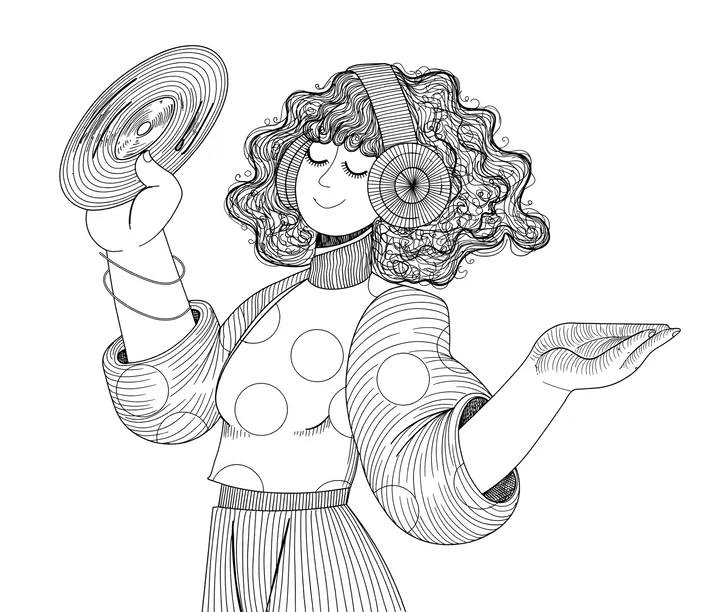 Click to watch full screen 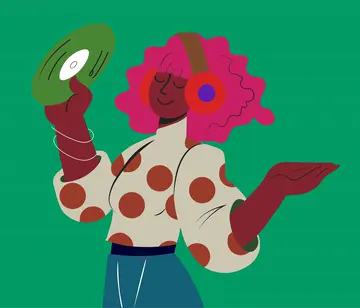 # Create speedpaint drawing videos from photos and artwork. Turn a photo, illustration, or diagram into a stroke-by-stroke drawing video. Start with 200 free credits - no card required. [Try free](https://speedpaint.org/#try)[See examples ↓](https://speedpaint.org/#categories)  Click to watch full screen  200 free credits on signup · 1080p and 4K exports · No card required ## How Speedpaint works Upload an image, choose how you want it to look, and watch it draw. Step 1 ### Upload your image Start from a photo, an illustration, or a finished drawing. Portraits, characters, scenes, and objects all work.  Step 2 ### Turn it into a sketch Speedpaint converts your image into a detailed drawing based on your chosen sketch style.  Step 3 ### Watch it draw Speedpaint draws your image from start to finish into a video you can download.   Step 1### Upload your image Start from a photo, an illustration, or a finished drawing. Portraits, characters, scenes, and objects all work.  Step 2### Turn it into a sketch Speedpaint converts your image into a detailed drawing based on your chosen sketch style. Step 3### Watch it draw Speedpaint draws your image from start to finish into a video you can download. ## Try Speedpaint for free without sign up Create a full drawing animation video with no account or credit card required. Choose a sample or drop your photo to see it draw stroke by stroke. Drop an image here, or browse PNG, JPG, or WEBP up to 20MB Choose image ### Or try with a sample Choose a sample to load it into the studio. Loading samples… ## See what your images can become A selection of images, reinterpreted as drawing videos. [Browse all examples](https://speedpaint.org/examples) ## Buy credits [Refund policy](https://speedpaint.org/refund) · [Commercial-use terms](https://speedpaint.org/terms) One-time balance top-upNever expires Amount +20% bonus (+200 free) 1.2kcredits $10.00· ~60 videos $1 = 120 credits (with bonus) 20 cr/video ($0.20) Never expires Commercial use Full HD & 4K 1k cr 500 cr1k cr5k cr [Get 1,200 credits · $10.00](https://speedpaint.org/auth/signup?redirect=%2Fdashboard%2Fcredits%3Famount%3D1000%26action%3Dbuy&credits=1000) ### Choose credit amount Slide to select or tap a preset below. $1 = 100 credits · 20 credits for up to 60 seconds. Balance never expires. 1k cr 100 cr500 cr1k cr2.5k cr5k cr10k cr 20 credits up to 60s ($0.20) Never expires Full HD & 4K Amount +20% bonus (+200 free) 1.2kcredits Edit $10.00· ~60 videos $1 = 120 credits (with bonus) [Get 1,200 credits · $10.00](https://speedpaint.org/auth/signup?redirect=%2Fdashboard%2Fcredits%3Famount%3D1000%26action%3Dbuy&credits=1000) One-time payment · 20 credits for up to 60 seconds · Credits never expire ## Frequently asked questions Everything you need to know about Speedpaint, credits, and drawing videos. [View all questions & answers →](https://speedpaint.org/faq)[Contact us →](https://speedpaint.org/contact) ### How does Speedpaint work? Upload a photo or illustration and choose a drawing style. Speedpaint plans a stroke-by-stroke reveal from the drawing. Opaque canvases use MP4; transparent videos use WebM. Video output is fixed at 60 FPS. This is a generated reveal, not a recording of the original artist drawing. ### What drawing styles can I choose from? The studio includes five core styles: Detailed Shading, Clean Line Art, Anime, Charcoal Atelier, and Drafting Blueprint. ### How do credits and pricing work? $1.00 equals 100 credits. A standard video costs 20 credits for up to 60 seconds, with 10 extra credits for each additional started minute; 4K doubles the total. You receive 200 free trial credits upon signing up ($2.00 value). Credits never expire, so you can add balance when you need it. ### What video durations, aspect ratios, and resolutions are supported? You can export videos in 1080p Full HD or 4K Ultra HD. We support vertical 9:16 (for Shorts, Reels, and TikTok), widescreen 16:9, square 1:1, 4:3, and 3:4, with video lengths from 5 seconds up to 3 minutes. ### Can I add background textures, soundtracks, and watermarks? Yes. Choose a paper background, upload a background image, or use a transparent canvas. Add a built-in soundtrack or your own audio, and an optional text watermark. ### Can I publish directly to YouTube Shorts? You can connect a YouTube channel, review the title, description and visibility, and confirm the upload of a completed vertical video. You can also download the MP4 instead. Reach and Shorts placement are not guaranteed. ### Can I use my videos commercially? Commercial use is subject to the Terms of Service and your rights to the uploaded material. Generating a drawing does not clear third-party copyright, trademark or likeness rights. Check the source image and soundtrack permissions before publishing. ### Which payment methods are accepted? We accept major credit and debit cards, UPI, NetBanking, and international cards securely processed via Razorpay. Available methods can vary by country and checkout. ## Turn a photo into a drawing Upload an image, pick a style, and watch it draw itself on canvas. [Try Speedpaint for free](https://speedpaint.org/try) 200 free trial credits · 10 standard videos up to 60s · No credit card required  ### Tips, new sketch styles, and studio updates Join creators receiving new drawing techniques, style releases, and studio updates. Subscribe Our promise: we won't sell your data or spam you. 
Laden Sie diese Datei als /index.md auf Ihren Server hoch, damit KI-Agenten auf eine saubere Version Ihrer Seite zugreifen können. Sie können auch die Accept: text/markdown-Inhaltsverhandlung konfigurieren, um sie automatisch auszuliefern.
Unsere Empfehlung
# Speedpaint

> Create stroke-by-stroke drawing videos from photos and artwork. Get 200 free credits on signup, export 1080p or 4K MP4, and start with no card required.

## Documentation
- [View all questions & answers →](https://speedpaint.org/faq)

## Main
- [Speedpaint Generator | Drawing Videos from Photos](https://speedpaint.org/): Create stroke-by-stroke drawing videos from photos and artwork. Get 200 free credits on signup, export 1080p or 4K MP4,…
- [Pricing](https://speedpaint.org/pricing)
- [What is Speedpaint?](https://speedpaint.org/about-speedpaint)
- [Get Started](https://speedpaint.org/auth/signup)
- [Photo to Sketch](https://speedpaint.org/photo-to-sketch)
- [Photo to Line Art](https://speedpaint.org/photo-to-line-art)
- [Drawing Animation](https://speedpaint.org/drawing-animation)
- [Photo to Drawing Video](https://speedpaint.org/photo-to-drawing-video)
- [Speedpaint Generator](https://speedpaint.org/speedpaint-generator)
- [Image to Drawing Converter](https://speedpaint.org/image-to-drawing-converter)
- [Photo to Line Drawing](https://speedpaint.org/photo-to-line-drawing)

## Blog
- [Journal](https://speedpaint.org/blog)

## Legal
- [Privacy Policy](https://speedpaint.org/privacy)
- [Terms of Service](https://speedpaint.org/terms)
- [Refund Policy](https://speedpaint.org/refund)

## Support
- [FAQ](https://speedpaint.org/faq)
- [Contact Us](https://speedpaint.org/contact)
- [Support Center](https://speedpaint.org/support)
Vollständige llms.txt erfordert eine domainweite Analyse (kommt bald)
Laden Sie diese Datei als https://speedpaint.org/llms.txt im Stammverzeichnis Ihrer Domain hoch. KI-Agenten wie ChatGPT, Claude und Perplexity prüfen diese Datei, um Ihre Website-Struktur zu verstehen.
Diese Website hat bereits eine llms.txt-Datei.
Gültiges Format# Speedpaint > Speedpaint is a browser-based tool that creates a drawing reveal from an uploaded image. The animation is generated from image structure; it is not footage of the original artist drawing. ## Product facts - Upload JPG, PNG or WebP photographs, illustrations or existing sketches. - Five sketch treatments: Detailed Shading, Clean Line Art, Anime, Charcoal Atelier and Drafting Blueprint. - Video durations: 5–180 seconds in the production Studio. Video frame rate is fixed at 60 FPS. - Canvas choices: original image shape, 9:16, 16:9, 1:1, 4:3 and 3:4. - Video resolutions: 1080p and 4K. Opaque canvases use H.264 MP4; transparent canvases use VP9 WebM with alpha. - Optional drawing hand, canvas background, soundtrack, uploaded audio and watermark settings. - Sketch-only output is available in the current Studio; it produces a still drawing rather than a video. - YouTube publishing requires connecting a channel and reviewing the publishing details. - Eligible new accounts receive a one-time 200-credit signup grant. No card is required. ## Pricing At the standard rate, $1 USD equals 100 credits. A 1080p video costs 20 credits up to 60 seconds, plus 10 credits per additional started minute. A 4K video doubles that calculated cost. Sketch-only generation costs 5 credits. Purchased credits do not expire. The Studio displays the estimated cost before generation. See the pricing and refund pages for purchase conditions. ## Boundaries Speedpaint is not a multi-scene timeline editor, a character-rigging tool, an editable SVG exporter or a CAD converter. Generated sketch treatments can change likeness, small text and geometry. Review exact diagram labels and logo lettering before using the result. Choosing 9:16 does not add platform-specific safe margins. Processing time depends on the source, settings and queue. There is no guaranteed render time, viewing-retention improvement, learning outcome or social reach. Commercial use depends on the Terms of Service and rights to the uploaded material; generation does not clear third-party copyright or trademarks. ## Public pages - [Home](https://speedpaint.org/): product overview. - [About Speedpaint](https://speedpaint.org/about-speedpaint): product definition and limitations. - [How it works](https://speedpaint.org/how-it-works): image preparation, stroke planning and rendering. - [Examples](https://speedpaint.org/examples): existing source images and drawing results. - [Try](https://speedpaint.org/try): guest preview workflow; limits differ from signed-in Studio. - [Pricing](https://speedpaint.org/pricing): credit costs and purchases. - [FAQ](https://speedpaint.org/faq): product and billing answers. - [Journal](https://speedpaint.org/blog): workflow explanations and practical checks. - [Support](https://speedpaint.org/support): help articles and support entry. - [Contact](https://speedpaint.org/contact): support and other enquiries. - [Trust](https://speedpaint.org/trust): privacy and account handling. - [Service status](https://speedpaint.org/status): availability checks, not an uptime guarantee. ## Workflows - [Photo to sketch](https://speedpaint.org/photo-to-sketch) - [Photo to line art](https://speedpaint.org/photo-to-line-art) - [Drawing animation](https://speedpaint.org/drawing-animation) - [Photo to drawing video](https://speedpaint.org/photo-to-drawing-video) - [Speedpaint generator](https://speedpaint.org/speedpaint-generator) - [Whiteboard animation](https://speedpaint.org/whiteboard-animation) - [Whiteboard animation guides](https://speedpaint.org/whiteboard-animation-guides): scripts, storyboards, presentation use, audio and credit planning. - [Whiteboard image examples](https://speedpaint.org/whiteboard-animation-examples): existing product artwork with image-selection guidance. - [Image to drawing converter](https://speedpaint.org/image-to-drawing-converter) - [Photo to sketch treatment](https://speedpaint.org/photo-to-sketch-ai) - [Photo to line drawing](https://speedpaint.org/photo-to-line-drawing) - [Image to outline](https://speedpaint.org/image-to-outline) - [Hand-drawing video](https://speedpaint.org/image-to-hand-drawing-video) - [Whiteboard-style video](https://speedpaint.org/whiteboard-animation-maker) - [Drawing video maker](https://speedpaint.org/drawing-video-maker) - [Photo to sketch video](https://speedpaint.org/photo-to-sketch-video) - [Logo drawing reveal](https://speedpaint.org/logo-to-drawing-video) - [Diagram drawing reveal](https://speedpaint.org/diagram-to-whiteboard-video) - [Portrait sketch video](https://speedpaint.org/portrait-to-sketch-video) - [YouTube Shorts drawing video](https://speedpaint.org/youtube-shorts-drawing-video) - [Workflow comparison](https://speedpaint.org/compare/speedpaint-vs-whiteboard-software) ## Guides - [Photo to pencil sketch](https://speedpaint.org/guides/how-to-turn-photo-into-pencil-sketch) - [Photo to line art](https://speedpaint.org/guides/how-to-turn-photo-into-line-art) - [Drawing video from a photo](https://speedpaint.org/guides/how-to-make-drawing-process-video-from-photo) - [Drawing reveal without screen recording](https://speedpaint.org/guides/how-to-create-speedpaint-without-screen-recording) ## Policies and reference - [Terms](https://speedpaint.org/terms) - [Privacy](https://speedpaint.org/privacy) - [Refunds](https://speedpaint.org/refund) - [Digital delivery](https://speedpaint.org/shipping) - [Detailed product reference](https://speedpaint.org/llms-full.txt) - [Machine-readable product facts](https://speedpaint.org/data/facts.json) ## Machine & Agent Discovery - [API Catalog (RFC 9727)](https://speedpaint.org/.well-known/api-catalog) - [OpenAPI 3.1 Specification](https://speedpaint.org/openapi.json) - [Drawing Animation Agent Skill](https://speedpaint.org/.well-known/agent-skills/drawing-animation/SKILL.md) Speedpaint is operated by Parv Shah, Founder & Lead Engineer in Ahmedabad / Mumbai, India. Official journal and tutorial content is authored exclusively by Parv Shah. Contact: [email protected].
Zugänglichkeit
Content available without JavaScript
Main content starts at 17% of HTML
Page size: 106KB
KI-Auffindbarkeit
All major AI search bots allowed
Auffindbar, aber nicht verhandelbar: Ein Agent, der dein HTML liest, findet die .md-Version; einer, der die Seite direkt anfragt, bekommt weiterhin HTML. Auf Accept: text/markdown zu antworten deckt beides ab.
Sitemap found
robots.txt exists
llms.txt exists and is valid
Strukturierte Daten
JSON-LD found: Person, Organization, SoftwareApplication,WebApplication, WebSite, WebPage, FAQPage
All OG tags present
Meta description: 152 chars
Canonical URL present
lang="en"
Semantisches HTML
2 <h1> elements (should be 1)
Missing <article> and <main> elements
9 semantic elements, 256 divs (ratio: 3%)
12/12 images with meaningful alt text (1 decorative, not counted)
Avg div depth: 8.0, max: 12
Inhaltseffizienz
98% token reduction (HTML→Markdown)
Content ratio: 2.7% (2924 content chars / 108369 HTML bytes)
HTML size: 106KB
16/713 elements with inline styles (2.2%)
{
"url": "https://speedpaint.org/",
"timestamp": 1791313512498,
"fetch": {
"mode": "simple",
"timeMs": 613,
"htmlSizeBytes": 108369,
"supportsMarkdown": false,
"markdownAgents": {
"contentNegotiation": false,
"mdUrl": {
"found": true,
"url": "https://speedpaint.org/index.md"
},
"linkTag": {
"found": true,
"url": "/index.md"
},
"linkHeader": {
"found": false,
"url": null
},
"responseHeaders": {
"contentSignal": null,
"xMarkdownTokens": null,
"vary": null
},
"frontmatter": {
"present": false,
"fields": [],
"level": "none"
},
"level": "application",
"mdUrlMediaType": "application/octet-stream",
"mdUrlProperMediaType": false
},
"statusCode": 200
},
"extraction": {
"title": "Speedpaint Generator | Drawing Videos from Photos",
"excerpt": "Create stroke-by-stroke drawing videos from photos and artwork. Get 200 free credits on signup, export 1080p or 4K MP4, and start with no card required.",
"byline": null,
"siteName": "Speedpaint",
"lang": "en",
"contentLength": 2924,
"metadata": {
"description": "Create stroke-by-stroke drawing videos from photos and artwork. Get 200 free credits on signup, export 1080p or 4K MP4, and start with no card required.",
"ogTitle": "Speedpaint Generator | Drawing Videos from Photos",
"ogDescription": "Create stroke-by-stroke drawing videos from photos and artwork. Get 200 free credits on signup, export 1080p or 4K MP4, and start with no card required.",
"ogImage": "https://speedpaint.org/images/og/home.png",
"ogType": "website",
"canonical": "https://speedpaint.org/",
"lang": "en",
"schemas": [
{
"@type": "Person",
"@id": "https://speedpaint.org/#founder",
"name": "Parv Shah",
"jobTitle": "Founder & Lead Engineer",
"url": "https://speedpaint.org/about-speedpaint",
"worksFor": {
"@id": "https://speedpaint.org/#organization"
}
},
{
"@type": "Organization",
"@id": "https://speedpaint.org/#organization",
"name": "Speedpaint",
"url": "https://speedpaint.org",
"description": "Speedpaint turns photographs and artwork into hand-drawn sketches, clean line drawings, and stroke-by-stroke drawing animation videos.",
"knowsAbout": [
"image-to-drawing video generation",
"photo-to-sketch conversion",
"whiteboard drawing animation",
"stroke-by-stroke video rendering"
],
"founder": {
"@id": "https://speedpaint.org/#founder"
},
"logo": {
"@type": "ImageObject",
"@id": "https://speedpaint.org/#logo",
"url": "https://speedpaint.org/images/speedpaint-logo.png",
"contentUrl": "https://speedpaint.org/images/speedpaint-logo.png"
},
"image": {
"@id": "https://speedpaint.org/#logo"
},
"contactPoint": {
"@type": "ContactPoint",
"contactType": "customer support",
"email": "[email protected]",
"url": "https://speedpaint.org/support",
"availableLanguage": [
"English"
]
}
},
{
"@type": [
"SoftwareApplication",
"WebApplication"
],
"@id": "https://speedpaint.org/#software",
"name": "Speedpaint",
"url": "https://speedpaint.org",
"applicationCategory": "MultimediaApplication",
"applicationSubCategory": "Image-to-drawing video maker",
"operatingSystem": "Web Browser (Chrome, Safari, Edge, Firefox)",
"description": "Online speedpaint generator that converts photos and artwork into stroke-by-stroke MP4 drawing videos.",
"author": {
"@id": "https://speedpaint.org/#founder"
},
"publisher": {
"@id": "https://speedpaint.org/#organization"
},
"offers": {
"@type": "Offer",
"price": "0.20",
"priceCurrency": "USD",
"description": "Standard 1080p video: 20 credits up to 60 seconds, plus 10 per additional started minute. 4K doubles the video cost. Eligible new accounts receive 200 free credits; no card required."
},
"featureList": [
"Photo to sketch conversion",
"Stroke-by-stroke drawing video animation",
"5 drawing styles (Detailed Graphite, Clean Line Art, Anime Cel, Charcoal, Blueprint)",
"Vertical 9:16, Widescreen 16:9, Square 1:1 exports at 1080p and 4K",
"Direct YouTube Shorts publishing",
"Tactile pencil drawing sound effects"
],
"keywords": "speedpaint generator, image to drawing video, photo to sketch video, whiteboard drawing video"
},
{
"@type": "WebSite",
"@id": "https://speedpaint.org/#website",
"url": "https://speedpaint.org",
"name": "Speedpaint",
"description": "Turn photos and artwork into hand-drawn sketches and drawing animation videos. Export 1080p and 4K MP4 without manual screen recording.",
"publisher": {
"@id": "https://speedpaint.org/#organization"
},
"about": {
"@id": "https://speedpaint.org/#software"
},
"keywords": "speedpaint generator, image to drawing video, photo to sketch video, whiteboard animation",
"inLanguage": "en"
},
{
"@context": "https://schema.org",
"@type": "WebPage",
"@id": "https://speedpaint.org/#webpage",
"url": "https://speedpaint.org/",
"name": "Speedpaint Generator | Drawing Videos from Photos",
"description": "Create stroke-by-stroke drawing videos from photos and artwork. Get 200 free credits on signup, export 1080p or 4K MP4, and start with no card required.",
"isPartOf": {
"@id": "https://speedpaint.org/#website"
},
"about": {
"@id": "https://speedpaint.org/#software"
},
"primaryImageOfPage": {
"@type": "ImageObject",
"url": "https://speedpaint.org/images/og/home.png"
},
"inLanguage": "en"
},
{
"@context": "https://schema.org",
"@type": "FAQPage",
"mainEntity": [
{
"@type": "Question",
"name": "How does Speedpaint work?",
"acceptedAnswer": {
"@type": "Answer",
"text": "Upload a photo or illustration and choose a drawing style. Speedpaint plans a stroke-by-stroke reveal from the drawing. Opaque canvases use MP4; transparent videos use WebM. Video output is fixed at 60 FPS. This is a generated reveal, not a recording of the original artist drawing."
}
},
{
"@type": "Question",
"name": "What drawing styles can I choose from?",
"acceptedAnswer": {
"@type": "Answer",
"text": "The studio includes five core styles: Detailed Shading, Clean Line Art, Anime, Charcoal Atelier, and Drafting Blueprint."
}
},
{
"@type": "Question",
"name": "How do credits and pricing work?",
"acceptedAnswer": {
"@type": "Answer",
"text": "$1.00 equals 100 credits. A standard video costs 20 credits for up to 60 seconds, with 10 extra credits for each additional started minute; 4K doubles the total. You receive 200 free trial credits upon signing up ($2.00 value). Credits never expire, so you can add balance when you need it."
}
},
{
"@type": "Question",
"name": "What video durations, aspect ratios, and resolutions are supported?",
"acceptedAnswer": {
"@type": "Answer",
"text": "You can export videos in 1080p Full HD or 4K Ultra HD. We support vertical 9:16 (for Shorts, Reels, and TikTok), widescreen 16:9, square 1:1, 4:3, and 3:4, with video lengths from 5 seconds up to 3 minutes."
}
},
{
"@type": "Question",
"name": "Can I add background textures, soundtracks, and watermarks?",
"acceptedAnswer": {
"@type": "Answer",
"text": "Yes. Choose a paper background, upload a background image, or use a transparent canvas. Add a built-in soundtrack or your own audio, and an optional text watermark."
}
},
{
"@type": "Question",
"name": "Can I publish directly to YouTube Shorts?",
"acceptedAnswer": {
"@type": "Answer",
"text": "You can connect a YouTube channel, review the title, description and visibility, and confirm the upload of a completed vertical video. You can also download the MP4 instead. Reach and Shorts placement are not guaranteed."
}
},
{
"@type": "Question",
"name": "Can I use my videos commercially?",
"acceptedAnswer": {
"@type": "Answer",
"text": "Commercial use is subject to the Terms of Service and your rights to the uploaded material. Generating a drawing does not clear third-party copyright, trademark or likeness rights. Check the source image and soundtrack permissions before publishing."
}
},
{
"@type": "Question",
"name": "Which payment methods are accepted?",
"acceptedAnswer": {
"@type": "Answer",
"text": "We accept major credit and debit cards, UPI, NetBanking, and international cards securely processed via Razorpay. Available methods can vary by country and checkout."
}
}
]
}
],
"robotsMeta": "index, follow, max-image-preview:large, max-snippet:-1, max-video-preview:-1",
"author": null,
"generator": null,
"markdownAlternateHref": "/index.md"
}
},
"markdown": "## Create speedpaint drawing videos from photos and artwork.\n\nTurn a photo, illustration, or diagram into a stroke-by-stroke drawing video. Start with 200 free credits - no card required.\n\n200 free credits on signup · 1080p and 4K exports · No card required\n\n## How Speedpaint works\n\nUpload an image, choose how you want it to look, and watch it draw.\n\nStep 1\n\n### Upload your image\n\nStart from a photo, an illustration, or a finished drawing. Portraits, characters, scenes, and objects all work.\n\nStep 2\n\n### Turn it into a sketch\n\nSpeedpaint converts your image into a detailed drawing based on your chosen sketch style.\n\nStep 3\n\n### Watch it draw\n\nSpeedpaint draws your image from start to finish into a video you can download.\n\n## Try Speedpaint for free without sign up\n\nCreate a full drawing animation video with no account or credit card required. Choose a sample or drop your photo to see it draw stroke by stroke.\n\nDrop an image here, or browse\n\nPNG, JPG, or WEBP up to 20MB\n\n### Or try with a sample\n\nChoose a sample to load it into the studio.\n\nLoading samples…\n\n## See what your images can become\n\nA selection of images, reinterpreted as drawing videos.\n\n[Browse all examples](https://speedpaint.org/examples)\n\n## Frequently asked questions\n\nEverything you need to know about Speedpaint, credits, and drawing videos.\n\nUpload a photo or illustration and choose a drawing style. Speedpaint plans a stroke-by-stroke reveal from the drawing. Opaque canvases use MP4; transparent videos use WebM. Video output is fixed at 60 FPS. This is a generated reveal, not a recording of the original artist drawing.\n\nThe studio includes five core styles: Detailed Shading, Clean Line Art, Anime, Charcoal Atelier, and Drafting Blueprint.\n\n$1.00 equals 100 credits. A standard video costs 20 credits for up to 60 seconds, with 10 extra credits for each additional started minute; 4K doubles the total. You receive 200 free trial credits upon signing up ($2.00 value). Credits never expire, so you can add balance when you need it.\n\nYou can export videos in 1080p Full HD or 4K Ultra HD. We support vertical 9:16 (for Shorts, Reels, and TikTok), widescreen 16:9, square 1:1, 4:3, and 3:4, with video lengths from 5 seconds up to 3 minutes.\n\nYes. Choose a paper background, upload a background image, or use a transparent canvas. Add a built-in soundtrack or your own audio, and an optional text watermark.\n\nYou can connect a YouTube channel, review the title, description and visibility, and confirm the upload of a completed vertical video. You can also download the MP4 instead. Reach and Shorts placement are not guaranteed.\n\nCommercial use is subject to the Terms of Service and your rights to the uploaded material. Generating a drawing does not clear third-party copyright, trademark or likeness rights. Check the source image and soundtrack permissions before publishing.\n\nWe accept major credit and debit cards, UPI, NetBanking, and international cards securely processed via Razorpay. Available methods can vary by country and checkout.\n",
"fullPageMarkdown": "Speedpaint Generator | Drawing Videos from Photos\n\n[Skip to main content](https://speedpaint.org/#main-content)\n\n# Create speedpaint drawing videos from photos and artwork.\n\nTurn a photo, illustration, or diagram into a stroke-by-stroke drawing video. Start with 200 free credits - no card required.\n\n[Try free](https://speedpaint.org/#try)[See examples ↓](https://speedpaint.org/#categories)\n\n200 free credits on signup · 1080p and 4K exports · No card required\n\n\n\nClick to watch full screen\n\n\n\n# Create speedpaint drawing videos from photos and artwork.\n\nTurn a photo, illustration, or diagram into a stroke-by-stroke drawing video. Start with 200 free credits - no card required.\n\n[Try free](https://speedpaint.org/#try)[See examples ↓](https://speedpaint.org/#categories)\n\n\n\nClick to watch full screen\n\n\n\n200 free credits on signup · 1080p and 4K exports · No card required\n\n## How Speedpaint works\n\nUpload an image, choose how you want it to look, and watch it draw.\n\nStep 1\n\n### Upload your image\n\nStart from a photo, an illustration, or a finished drawing. Portraits, characters, scenes, and objects all work.\n\n\n\nStep 2\n\n### Turn it into a sketch\n\nSpeedpaint converts your image into a detailed drawing based on your chosen sketch style.\n\n\n\nStep 3\n\n### Watch it draw\n\nSpeedpaint draws your image from start to finish into a video you can download.\n\n\n\n\n\nStep 1### Upload your image\n\nStart from a photo, an illustration, or a finished drawing. Portraits, characters, scenes, and objects all work.\n\n\n\nStep 2### Turn it into a sketch\n\nSpeedpaint converts your image into a detailed drawing based on your chosen sketch style.\n\nStep 3### Watch it draw\n\nSpeedpaint draws your image from start to finish into a video you can download.\n\n## Try Speedpaint for free without sign up\n\nCreate a full drawing animation video with no account or credit card required. Choose a sample or drop your photo to see it draw stroke by stroke.\n\nDrop an image here, or browse\n\nPNG, JPG, or WEBP up to 20MB\n\nChoose image\n\n### Or try with a sample\n\nChoose a sample to load it into the studio.\n\nLoading samples…\n\n## See what your images can become\n\nA selection of images, reinterpreted as drawing videos.\n\n[Browse all examples](https://speedpaint.org/examples)\n\n## Buy credits\n\n[Refund policy](https://speedpaint.org/refund) · [Commercial-use terms](https://speedpaint.org/terms)\n\nOne-time balance top-upNever expires\n\nAmount +20% bonus (+200 free)\n\n1.2kcredits\n\n$10.00· ~60 videos\n\n$1 = 120 credits (with bonus)\n\n20 cr/video ($0.20)\n\nNever expires\n\nCommercial use\n\nFull HD & 4K\n\n1k cr\n\n500 cr1k cr5k cr\n\n[Get 1,200 credits · $10.00](https://speedpaint.org/auth/signup?redirect=%2Fdashboard%2Fcredits%3Famount%3D1000%26action%3Dbuy&credits=1000)\n\n### Choose credit amount\n\nSlide to select or tap a preset below. $1 = 100 credits · 20 credits for up to 60 seconds. Balance never expires.\n\n1k cr\n\n100 cr500 cr1k cr2.5k cr5k cr10k cr\n\n20 credits up to 60s ($0.20)\n\nNever expires\n\nFull HD & 4K\n\nAmount +20% bonus (+200 free)\n\n1.2kcredits\n\nEdit\n\n$10.00· ~60 videos\n\n$1 = 120 credits (with bonus)\n\n[Get 1,200 credits · $10.00](https://speedpaint.org/auth/signup?redirect=%2Fdashboard%2Fcredits%3Famount%3D1000%26action%3Dbuy&credits=1000)\n\nOne-time payment · 20 credits for up to 60 seconds · Credits never expire\n\n## Frequently asked questions\n\nEverything you need to know about Speedpaint, credits, and drawing videos.\n\n[View all questions & answers →](https://speedpaint.org/faq)[Contact us →](https://speedpaint.org/contact)\n\n### How does Speedpaint work?\n\nUpload a photo or illustration and choose a drawing style. Speedpaint plans a stroke-by-stroke reveal from the drawing. Opaque canvases use MP4; transparent videos use WebM. Video output is fixed at 60 FPS. This is a generated reveal, not a recording of the original artist drawing.\n\n### What drawing styles can I choose from?\n\nThe studio includes five core styles: Detailed Shading, Clean Line Art, Anime, Charcoal Atelier, and Drafting Blueprint.\n\n### How do credits and pricing work?\n\n$1.00 equals 100 credits. A standard video costs 20 credits for up to 60 seconds, with 10 extra credits for each additional started minute; 4K doubles the total. You receive 200 free trial credits upon signing up ($2.00 value). Credits never expire, so you can add balance when you need it.\n\n### What video durations, aspect ratios, and resolutions are supported?\n\nYou can export videos in 1080p Full HD or 4K Ultra HD. We support vertical 9:16 (for Shorts, Reels, and TikTok), widescreen 16:9, square 1:1, 4:3, and 3:4, with video lengths from 5 seconds up to 3 minutes.\n\n### Can I add background textures, soundtracks, and watermarks?\n\nYes. Choose a paper background, upload a background image, or use a transparent canvas. Add a built-in soundtrack or your own audio, and an optional text watermark.\n\n### Can I publish directly to YouTube Shorts?\n\nYou can connect a YouTube channel, review the title, description and visibility, and confirm the upload of a completed vertical video. You can also download the MP4 instead. Reach and Shorts placement are not guaranteed.\n\n### Can I use my videos commercially?\n\nCommercial use is subject to the Terms of Service and your rights to the uploaded material. Generating a drawing does not clear third-party copyright, trademark or likeness rights. Check the source image and soundtrack permissions before publishing.\n\n### Which payment methods are accepted?\n\nWe accept major credit and debit cards, UPI, NetBanking, and international cards securely processed via Razorpay. Available methods can vary by country and checkout.\n\n## Turn a photo into a drawing\n\nUpload an image, pick a style, and watch it draw itself on canvas.\n\n[Try Speedpaint for free](https://speedpaint.org/try)\n\n200 free trial credits · 10 standard videos up to 60s · No credit card required\n\n\n\n### Tips, new sketch styles, and studio updates\n\nJoin creators receiving new drawing techniques, style releases, and studio updates.\n\nSubscribe\n\nOur promise: we won't sell your data or spam you.\n\n\n",
"markdownStats": {
"images": 0,
"links": 1,
"tables": 0,
"codeBlocks": 0,
"headings": 9
},
"tokens": {
"htmlTokens": 33564,
"markdownTokens": 683,
"reduction": 32881,
"reductionPercent": 98
},
"score": {
"score": 86,
"grade": "B",
"rubricVersion": 3,
"dimensions": {
"accessibility": {
"score": 100,
"weight": 30,
"grade": "A",
"checks": {
"content_without_js": {
"score": 100,
"weight": 55,
"evidence": "proven",
"details": "Content available without JavaScript"
},
"fast_content_position": {
"score": 100,
"weight": 25,
"evidence": "plausible",
"details": "Main content starts at 17% of HTML"
},
"reasonable_page_size": {
"score": 100,
"weight": 20,
"evidence": "plausible",
"details": "Page size: 106KB"
}
}
},
"aiDiscoverability": {
"score": 90,
"weight": 25,
"grade": "A",
"checks": {
"robots_allows_ai_bots": {
"score": 100,
"weight": 35,
"evidence": "proven",
"details": "All major AI search bots allowed"
},
"supports_markdown_negotiation": {
"score": 60,
"weight": 20,
"evidence": "plausible",
"details": "Application level — .md URL (https://speedpaint.org/index.md, served as application/octet-stream, should be text/markdown), <link> tag",
"mechanisms": {
"negotiation": false,
"mdUrl": true,
"linkTag": true,
"linkHeader": false
}
},
"has_sitemap": {
"score": 100,
"weight": 15,
"evidence": "plausible",
"details": "Sitemap found"
},
"has_robots_txt": {
"score": 100,
"weight": 10,
"evidence": "plausible",
"details": "robots.txt exists"
},
"has_llms_txt": {
"score": 100,
"weight": 10,
"evidence": "speculative",
"details": "llms.txt exists and is valid"
},
"has_content_signals": {
"score": 80,
"weight": 10,
"evidence": "speculative",
"details": "robots.txt: ai-train=yes, search=yes, ai-input=yes | Policy included",
"mechanisms": {
"robotsTxt": true,
"httpHeader": false,
"policy": true
}
}
}
},
"structuredData": {
"score": 100,
"weight": 20,
"grade": "A",
"checks": {
"has_schema_org": {
"score": 100,
"weight": 35,
"evidence": "proven",
"details": "JSON-LD found: Person, Organization, SoftwareApplication,WebApplication, WebSite, WebPage, FAQPage"
},
"has_open_graph": {
"score": 100,
"weight": 20,
"evidence": "plausible",
"details": "All OG tags present"
},
"has_meta_description": {
"score": 100,
"weight": 20,
"evidence": "plausible",
"details": "Meta description: 152 chars"
},
"has_canonical_url": {
"score": 100,
"weight": 15,
"evidence": "plausible",
"details": "Canonical URL present"
},
"has_lang_attribute": {
"score": 100,
"weight": 10,
"evidence": "plausible",
"details": "lang=\"en\""
}
}
},
"semanticHtml": {
"score": 48,
"weight": 15,
"grade": "D",
"checks": {
"proper_heading_hierarchy": {
"score": 80,
"weight": 30,
"evidence": "plausible",
"details": "2 <h1> elements (should be 1)"
},
"uses_article_or_main": {
"score": 0,
"weight": 25,
"evidence": "plausible",
"details": "Missing <article> and <main> elements"
},
"semantic_elements": {
"score": 11,
"weight": 20,
"evidence": "plausible",
"details": "9 semantic elements, 256 divs (ratio: 3%)"
},
"meaningful_alt_texts": {
"score": 100,
"weight": 15,
"evidence": "plausible",
"details": "12/12 images with meaningful alt text (1 decorative, not counted)"
},
"low_div_nesting": {
"score": 70,
"weight": 10,
"evidence": "speculative",
"details": "Avg div depth: 8.0, max: 12"
}
}
},
"contentEfficiency": {
"score": 61,
"weight": 10,
"grade": "C",
"checks": {
"token_reduction_ratio": {
"score": 100,
"weight": 40,
"evidence": "speculative",
"details": "98% token reduction (HTML→Markdown)"
},
"content_to_noise_ratio": {
"score": 0,
"weight": 30,
"evidence": "speculative",
"details": "Content ratio: 2.7% (2924 content chars / 108369 HTML bytes)"
},
"reasonable_page_weight": {
"score": 80,
"weight": 20,
"evidence": "speculative",
"details": "HTML size: 106KB"
},
"minimal_inline_styles": {
"score": 50,
"weight": 10,
"evidence": "speculative",
"details": "16/713 elements with inline styles (2.2%)"
}
}
}
}
},
"recommendations": [
{
"id": "add_article_main",
"priority": "high",
"category": "semanticHtml",
"titleKey": "rec.add_article_main.title",
"descriptionKey": "rec.add_article_main.description",
"howToKey": "rec.add_article_main.howto",
"howToStepKeys": null,
"effort": "quick-win",
"estimatedImpact": 3.8,
"maxImpact": 3.8,
"evidence": "plausible",
"checkScore": 0,
"checkDetails": "Missing <article> and <main> elements"
},
{
"id": "improve_content_ratio",
"priority": "high",
"category": "contentEfficiency",
"titleKey": "rec.improve_content_ratio.title",
"descriptionKey": "rec.improve_content_ratio.description",
"howToKey": "rec.improve_content_ratio.howto",
"howToStepKeys": null,
"effort": "moderate",
"estimatedImpact": 3,
"maxImpact": 3,
"evidence": "speculative",
"checkScore": 0,
"checkDetails": "Content ratio: 2.7% (2924 content chars / 108369 HTML bytes)"
},
{
"id": "add_semantic_elements",
"priority": "high",
"category": "semanticHtml",
"titleKey": "rec.add_semantic_elements.title",
"descriptionKey": "rec.add_semantic_elements.description",
"howToKey": "rec.add_semantic_elements.howto",
"howToStepKeys": null,
"effort": "moderate",
"estimatedImpact": 2.7,
"maxImpact": 3,
"evidence": "plausible",
"checkScore": 11,
"checkDetails": "9 semantic elements, 256 divs (ratio: 3%)"
},
{
"id": "remove_inline_styles",
"priority": "low",
"category": "contentEfficiency",
"titleKey": "rec.remove_inline_styles.title",
"descriptionKey": "rec.remove_inline_styles.description",
"howToKey": "rec.remove_inline_styles.howto",
"howToStepKeys": null,
"effort": "moderate",
"estimatedImpact": 0.5,
"maxImpact": 1,
"evidence": "speculative",
"checkScore": 50,
"checkDetails": "16/713 elements with inline styles (2.2%)"
}
],
"llmsTxtPreview": "# Speedpaint\n\n> Create stroke-by-stroke drawing videos from photos and artwork. Get 200 free credits on signup, export 1080p or 4K MP4, and start with no card required.\n\n## Documentation\n- [View all questions & answers →](https://speedpaint.org/faq)\n\n## Main\n- [Speedpaint Generator | Drawing Videos from Photos](https://speedpaint.org/): Create stroke-by-stroke drawing videos from photos and artwork. Get 200 free credits on signup, export 1080p or 4K MP4,…\n- [Pricing](https://speedpaint.org/pricing)\n- [What is Speedpaint?](https://speedpaint.org/about-speedpaint)\n- [Get Started](https://speedpaint.org/auth/signup)\n- [Photo to Sketch](https://speedpaint.org/photo-to-sketch)\n- [Photo to Line Art](https://speedpaint.org/photo-to-line-art)\n- [Drawing Animation](https://speedpaint.org/drawing-animation)\n- [Photo to Drawing Video](https://speedpaint.org/photo-to-drawing-video)\n- [Speedpaint Generator](https://speedpaint.org/speedpaint-generator)\n- [Image to Drawing Converter](https://speedpaint.org/image-to-drawing-converter)\n- [Photo to Line Drawing](https://speedpaint.org/photo-to-line-drawing)\n\n## Blog\n- [Journal](https://speedpaint.org/blog)\n\n## Legal\n- [Privacy Policy](https://speedpaint.org/privacy)\n- [Terms of Service](https://speedpaint.org/terms)\n- [Refund Policy](https://speedpaint.org/refund)\n\n## Support\n- [FAQ](https://speedpaint.org/faq)\n- [Contact Us](https://speedpaint.org/contact)\n- [Support Center](https://speedpaint.org/support)\n\n",
"llmsTxtExisting": "# Speedpaint\n\n> Speedpaint is a browser-based tool that creates a drawing reveal from an uploaded image. The animation is generated from image structure; it is not footage of the original artist drawing.\n\n## Product facts\n\n- Upload JPG, PNG or WebP photographs, illustrations or existing sketches.\n- Five sketch treatments: Detailed Shading, Clean Line Art, Anime, Charcoal Atelier and Drafting Blueprint.\n- Video durations: 5–180 seconds in the production Studio. Video frame rate is fixed at 60 FPS.\n- Canvas choices: original image shape, 9:16, 16:9, 1:1, 4:3 and 3:4.\n- Video resolutions: 1080p and 4K. Opaque canvases use H.264 MP4; transparent canvases use VP9 WebM with alpha.\n- Optional drawing hand, canvas background, soundtrack, uploaded audio and watermark settings.\n- Sketch-only output is available in the current Studio; it produces a still drawing rather than a video.\n- YouTube publishing requires connecting a channel and reviewing the publishing details.\n- Eligible new accounts receive a one-time 200-credit signup grant. No card is required.\n\n## Pricing\n\nAt the standard rate, $1 USD equals 100 credits. A 1080p video costs 20 credits up to 60 seconds, plus 10 credits per additional started minute. A 4K video doubles that calculated cost. Sketch-only generation costs 5 credits. Purchased credits do not expire. The Studio displays the estimated cost before generation. See the pricing and refund pages for purchase conditions.\n\n## Boundaries\n\nSpeedpaint is not a multi-scene timeline editor, a character-rigging tool, an editable SVG exporter or a CAD converter. Generated sketch treatments can change likeness, small text and geometry. Review exact diagram labels and logo lettering before using the result. Choosing 9:16 does not add platform-specific safe margins.\n\nProcessing time depends on the source, settings and queue. There is no guaranteed render time, viewing-retention improvement, learning outcome or social reach. Commercial use depends on the Terms of Service and rights to the uploaded material; generation does not clear third-party copyright or trademarks.\n\n## Public pages\n\n- [Home](https://speedpaint.org/): product overview.\n- [About Speedpaint](https://speedpaint.org/about-speedpaint): product definition and limitations.\n- [How it works](https://speedpaint.org/how-it-works): image preparation, stroke planning and rendering.\n- [Examples](https://speedpaint.org/examples): existing source images and drawing results.\n- [Try](https://speedpaint.org/try): guest preview workflow; limits differ from signed-in Studio.\n- [Pricing](https://speedpaint.org/pricing): credit costs and purchases.\n- [FAQ](https://speedpaint.org/faq): product and billing answers.\n- [Journal](https://speedpaint.org/blog): workflow explanations and practical checks.\n- [Support](https://speedpaint.org/support): help articles and support entry.\n- [Contact](https://speedpaint.org/contact): support and other enquiries.\n- [Trust](https://speedpaint.org/trust): privacy and account handling.\n- [Service status](https://speedpaint.org/status): availability checks, not an uptime guarantee.\n\n## Workflows\n\n- [Photo to sketch](https://speedpaint.org/photo-to-sketch)\n- [Photo to line art](https://speedpaint.org/photo-to-line-art)\n- [Drawing animation](https://speedpaint.org/drawing-animation)\n- [Photo to drawing video](https://speedpaint.org/photo-to-drawing-video)\n- [Speedpaint generator](https://speedpaint.org/speedpaint-generator)\n- [Whiteboard animation](https://speedpaint.org/whiteboard-animation)\n- [Whiteboard animation guides](https://speedpaint.org/whiteboard-animation-guides): scripts, storyboards, presentation use, audio and credit planning.\n- [Whiteboard image examples](https://speedpaint.org/whiteboard-animation-examples): existing product artwork with image-selection guidance.\n- [Image to drawing converter](https://speedpaint.org/image-to-drawing-converter)\n- [Photo to sketch treatment](https://speedpaint.org/photo-to-sketch-ai)\n- [Photo to line drawing](https://speedpaint.org/photo-to-line-drawing)\n- [Image to outline](https://speedpaint.org/image-to-outline)\n- [Hand-drawing video](https://speedpaint.org/image-to-hand-drawing-video)\n- [Whiteboard-style video](https://speedpaint.org/whiteboard-animation-maker)\n- [Drawing video maker](https://speedpaint.org/drawing-video-maker)\n- [Photo to sketch video](https://speedpaint.org/photo-to-sketch-video)\n- [Logo drawing reveal](https://speedpaint.org/logo-to-drawing-video)\n- [Diagram drawing reveal](https://speedpaint.org/diagram-to-whiteboard-video)\n- [Portrait sketch video](https://speedpaint.org/portrait-to-sketch-video)\n- [YouTube Shorts drawing video](https://speedpaint.org/youtube-shorts-drawing-video)\n- [Workflow comparison](https://speedpaint.org/compare/speedpaint-vs-whiteboard-software)\n\n## Guides\n\n- [Photo to pencil sketch](https://speedpaint.org/guides/how-to-turn-photo-into-pencil-sketch)\n- [Photo to line art](https://speedpaint.org/guides/how-to-turn-photo-into-line-art)\n- [Drawing video from a photo](https://speedpaint.org/guides/how-to-make-drawing-process-video-from-photo)\n- [Drawing reveal without screen recording](https://speedpaint.org/guides/how-to-create-speedpaint-without-screen-recording)\n\n## Policies and reference\n\n- [Terms](https://speedpaint.org/terms)\n- [Privacy](https://speedpaint.org/privacy)\n- [Refunds](https://speedpaint.org/refund)\n- [Digital delivery](https://speedpaint.org/shipping)\n- [Detailed product reference](https://speedpaint.org/llms-full.txt)\n- [Machine-readable product facts](https://speedpaint.org/data/facts.json)\n\n## Machine & Agent Discovery\n\n- [API Catalog (RFC 9727)](https://speedpaint.org/.well-known/api-catalog)\n- [OpenAPI 3.1 Specification](https://speedpaint.org/openapi.json)\n- [Drawing Animation Agent Skill](https://speedpaint.org/.well-known/agent-skills/drawing-animation/SKILL.md)\n\nSpeedpaint is operated by Parv Shah, Founder & Lead Engineer in Ahmedabad / Mumbai, India. Official journal and tutorial content is authored exclusively by Parv Shah. Contact: [email protected].",
"emergingProtocols": {
"oauthProtectedResource": {
"exists": false,
"url": "https://speedpaint.org/.well-known/oauth-protected-resource"
},
"oauthDiscovery": {
"exists": false,
"url": "https://speedpaint.org/.well-known/oauth-authorization-server"
},
"mcpServerCard": {
"exists": false,
"url": "https://speedpaint.org/.well-known/mcp/server-card.json",
"draft": true
},
"a2aAgentCard": {
"exists": false,
"url": "https://speedpaint.org/.well-known/agent-card.json"
},
"apiCatalog": {
"exists": true,
"url": "https://speedpaint.org/.well-known/api-catalog",
"contentType": "application/octet-stream",
"validMediaType": false,
"apis": 1
},
"agentSkills": {
"exists": false,
"url": "https://speedpaint.org/.well-known/agent-skills/index.json",
"draft": true
},
"count": 1,
"total": 6
},
"botAccess": {
"probed": true,
"bot": "OAI-SearchBot",
"controlStatus": 200,
"botStatus": 200,
"discriminates": false,
"refusedAsBot": false,
"edge": null,
"verifiable": false,
"detail": "This origin answers OAI-SearchBot exactly as it answers any other client (200). No edge-level filtering of AI crawlers observed."
},
"snippets": [
{
"id": "add_article_main",
"title": "Wrap content in <main> and <article>",
"description": "Semantic HTML landmarks help AI agents identify the main content of your page.",
"language": "html",
"code": "<main>\n <article>\n <h1>Your Page Title</h1>\n <p>Your content here...</p>\n </article>\n</main>",
"filename": "<body>"
}
]
}Nutzen Sie unsere API, um dies programmatisch abzurufen (kommt bald)
Dieses JSON ist für den internen Gebrauch bestimmt — im Gegensatz zu den Markdown- und llms.txt-Dateien soll es nicht auf Ihre Website hochgeladen werden. Speichern Sie es als Ausgangswert, um Ihren Score im Zeitverlauf zu verfolgen, teilen Sie es mit Ihrem Entwicklerteam oder integrieren Sie es in Ihre CI/CD-Pipeline.
Teilen Sie Ihre Ergebnisse
Oder lass dir von einer KI beim Verbessern helfen
Eine zweite Meinung?
Cloudflare betreibt ebenfalls einen kostenlosen Scanner, und er stellt eine andere Frage. Er bewertet, was Ihre Website für Agenten zum Aufrufen veröffentlicht: MCP Server Cards, Agent Skills, API-Kataloge, DNS-Einträge. Wir bewerten, ob ein Agent Ihre Inhalte erreichen, lesen und verstehen kann. Eine Website kann bei dem einen gut und bei dem anderen schlecht abschneiden — rechnen Sie mit zwei verschiedenen Zahlen: Es sind Antworten auf zwei verschiedene Fragen, und beide lohnen sich.
speedpaint.org mit Cloudflare scannenBadge einbetten
Fügen Sie dieses Badge zu Ihrer Website hinzu. Es aktualisiert sich automatisch, wenn sich Ihr KI-Bereitschafts-Score ändert.

<script src="https://agentready.md/badge.js" data-id="dfffb93b-0413-41b1-850e-66285d4caeaf" data-domain="speedpaint.org"></script>[](https://agentready.md/de/r/speedpaint.org)Demnächst: Vollständige Domain-Analyse
Crawlen Sie Ihre gesamte Domain, generieren Sie llms.txt und überwachen Sie Ihren KI-Bereitschaftswert im Zeitverlauf. Tragen Sie sich in die Warteliste ein.
Sie stehen auf der Liste! Wir benachrichtigen Sie, sobald es verfügbar ist.